
Introduced in App Cloner 4.0, App Cloner VPN is a new VPN-based system for routing cloned app traffic through SOCKS proxies.
It replaces the legacy SOCKS VPN Service, which only supported network connectivity for a single foreground clone at any time while blocking internet access for background clones.
IMPORTANT: After updating to App Cloner 4.0, please reclone or update any clones that previously used the legacy SOCKS VPN service so they can use the new App Cloner VPN.
App Cloner VPN is significantly more advanced. It can simultaneously route traffic for multiple cloned apps through their individually configured SOCKS proxies, whether the clones are running in the foreground or background, without switching between them.
At the same time, traffic from other apps continues to use the normal direct connection. This includes original apps and clones that are not configured to use SOCKS proxies. This means you can enable App Cloner VPN once and leave it enabled continuously.
App Cloner VPN does not require root and can also handle connections made by WebViews and native C/C++ code. This is one of its biggest advantages over the built-in proxy method.
You no longer need to enable a separate cloning option to use App Cloner VPN. Simply configure the SOCKS proxy or SOCKS proxy list option. The SOCKS proxy API, which is part of the SOCKS proxy option, is also supported.
App Cloner VPN and clones coordinate automatically. When a clone that is configured to use SOCKS proxies starts, it checks whether App Cloner is installed and whether App Cloner VPN is enabled and running. If available, the clone’s traffic will be routed through App Cloner VPN rather than using the built-in SOCKS proxy method.
If App Cloner VPN is not available, the clone falls back to its internal default SOCKS proxy handling. After starting or stopping App Cloner VPN, please restart the clone so it can select the appropriate method.
For more details and limitations on the built-in method, see SOCKS proxy.
Setup
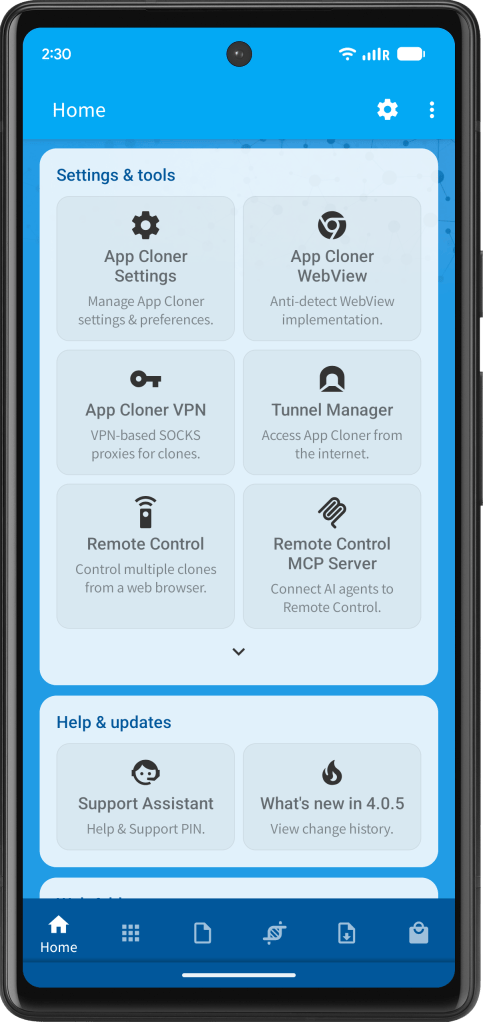
You can open App Cloner VPN from Settings & tools on the Home tab.
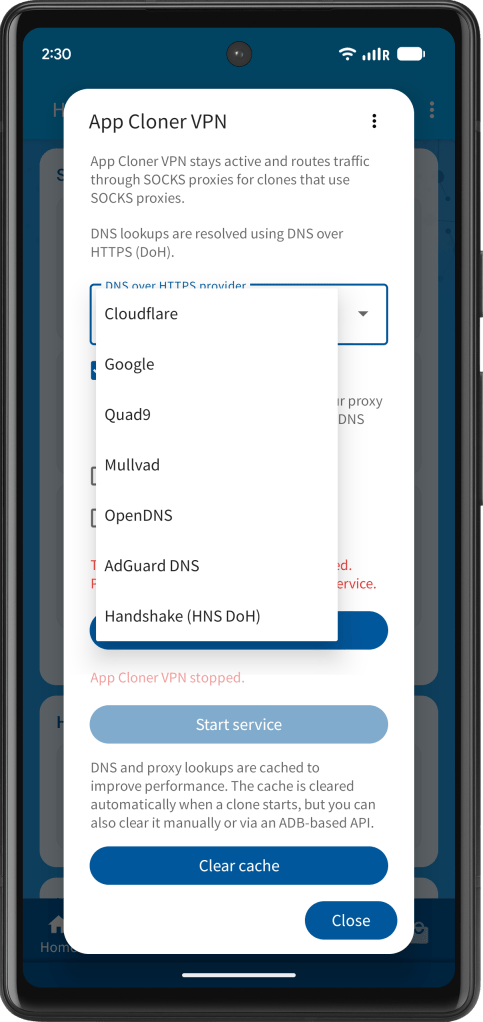
App Cloner VPN always performs DNS lookups using DNS over HTTPS (DoH). You can select the DoH provider from the drop-down menu. The default provider is Cloudflare, but you may select Google, Quad9, Mullvad, OpenDNS, AdGuard DNS or Handshake instead.
DoH over proxy is enabled by default to help prevent DNS IP leaks, but you can turn it off if your proxy provider is too slow for reliable DNS lookups. DNS lookups are latency-sensitive, so slow proxy responses may cause DNS requests to time out.
By default, UDP support is disabled. Enabling it can be useful for audio and video streaming apps, voice and video calls and some online games. Make sure your SOCKS proxy provider supports SOCKS5 UDP forwarding. You can check this using the Test button in the SOCKS proxy option.
Standard DNS lookups are unaffected by this setting because App Cloner VPN handles them separately using DNS over HTTPS (DoH).
Similarly, IPv6 support is disabled by default. Enable it to access IPv6 target hosts, including through a SOCKS proxy whose server address is IPv4. The proxy must support connections to IPv6 destinations. You can check this using the Test button in the SOCKS proxy option.
The DNS over HTTPS (DoH) provider, DoH over proxy, UDP support and IPv6 support settings can only be changed while the service is stopped.
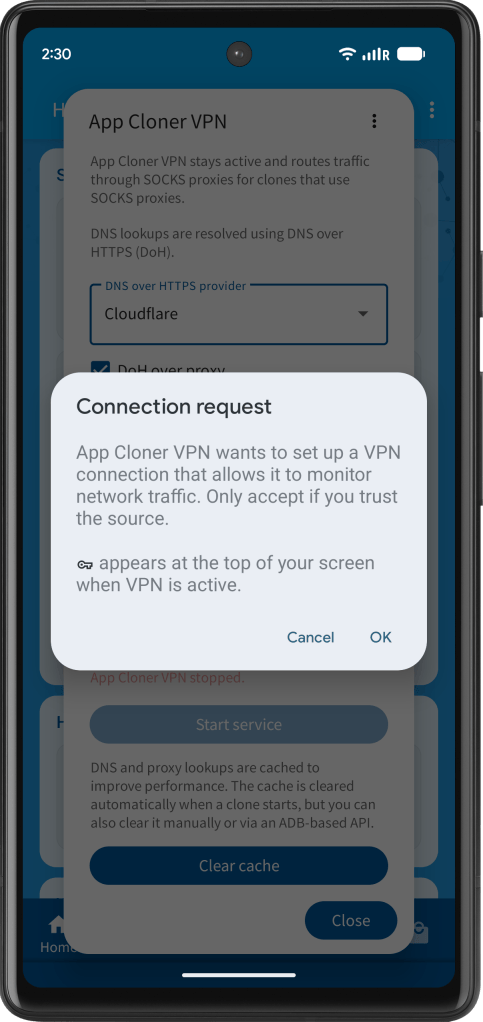
Press Enable service to request and approve the Android VPN connection. Then press Start service to start App Cloner VPN. Note that Android permits only one active VPN service. Another active or always-on VPN may need to be disabled first.
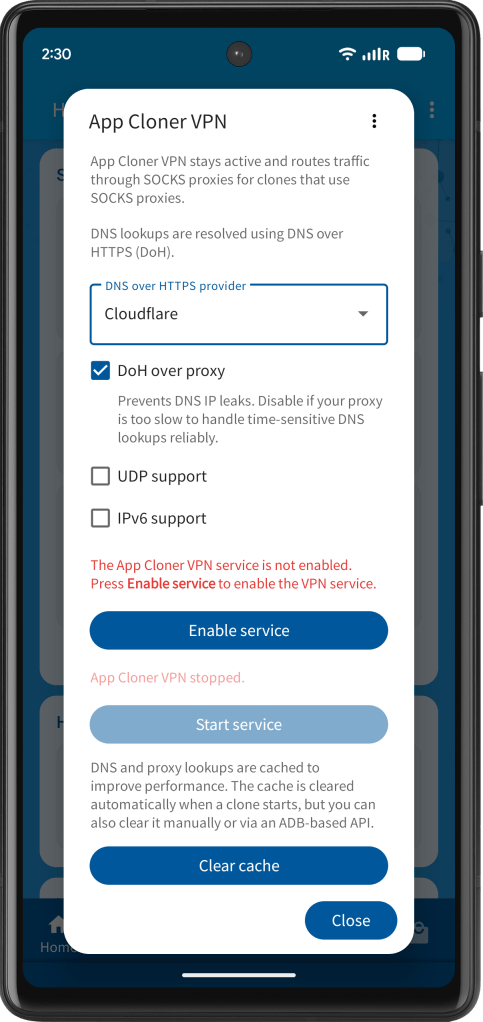
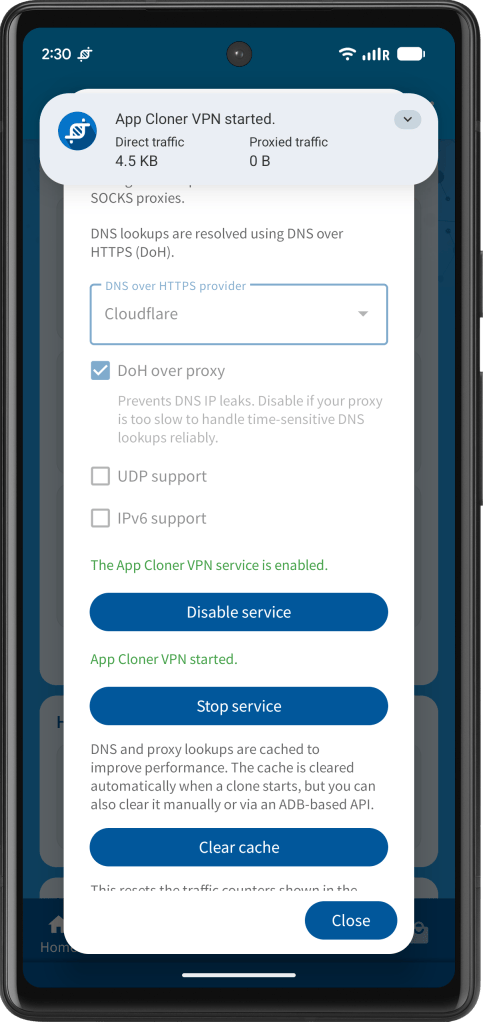
For better performance, DNS queries and proxy lookups are cached. The cache is cleared automatically whenever a SOCKS-configured clone starts but you can also clear it manually using the Clear cache button.
While App Cloner VPN is active, it shows an ongoing notification. The notification includes traffic statistics showing how much data was sent directly and how much was routed through proxies. To reset these counters, press the Reset traffic stats button.
Use Show SOCKS proxy clones from the dialog’s pop-up menu to view installed clones that have SOCKS proxies enabled.
Notes
It is not strictly necessary to configure the VPN connection as always-on or blocking.
If App Cloner VPN was running, App Cloner attempts to restart it automatically after a device reboot or an App Cloner update. This is a best-effort restart and requires the previously granted VPN permission to remain available.
If a clone starts before the service is ready, it may fall back to using the built-in proxy method. Once App Cloner VPN is running, restart the clone to have it use the VPN. To reduce this risk, you may want to enable Android’s Always-on VPN and Block connections without VPN options.
IMPORTANT: If you are currently using clones with the legacy SOCKS VPN Service, please reclone those apps after updating to App Cloner 4.0.
Like the previous SOCKS VPN Service, the new App Cloner VPN is available to users with the Proxying suite extension. UDP support requires the App Cloner Ultra edition. IPv6 support requires the Ultra+ edition.
Clear Cache API
Starting with App Cloner 4.0.5, you can clear the App Cloner VPN cache using an ADB-based API. This is useful when changing a clone’s SOCKS proxy through the ADB API without stopping or restarting the clone.
adb shell am broadcast -p com.applisto.appcloner -a com.applisto.appcloner.api.action.APP_CLONER_VPN_CLEAR_CACHE
App Cloner displays a toast message confirming that the cache has been cleared.


You must be logged in to post a comment.