
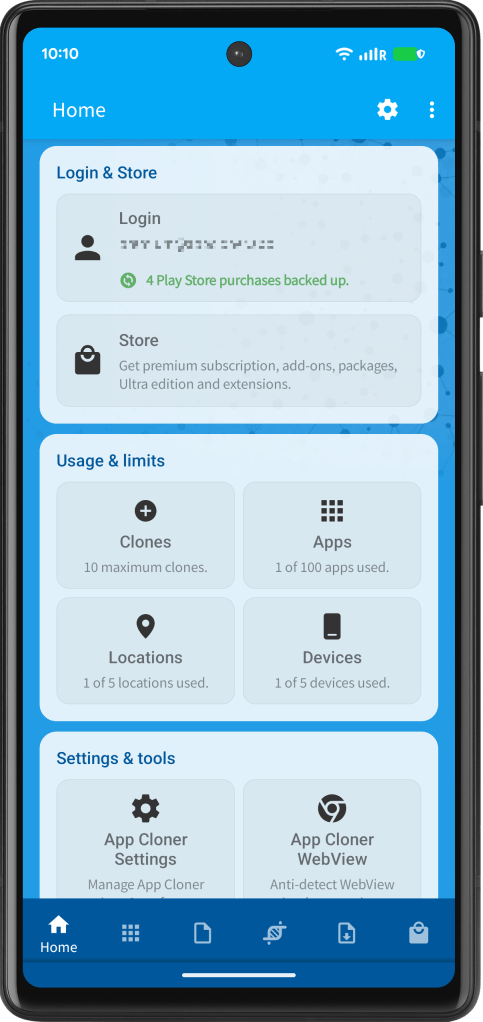
App Cloner 4.0 introduces a refreshed user interface with a new Home dashboard, replacing the previous navigation drawer. The Home screen gives you direct access to your app lists, login and store features, usage information, account limits and settings.
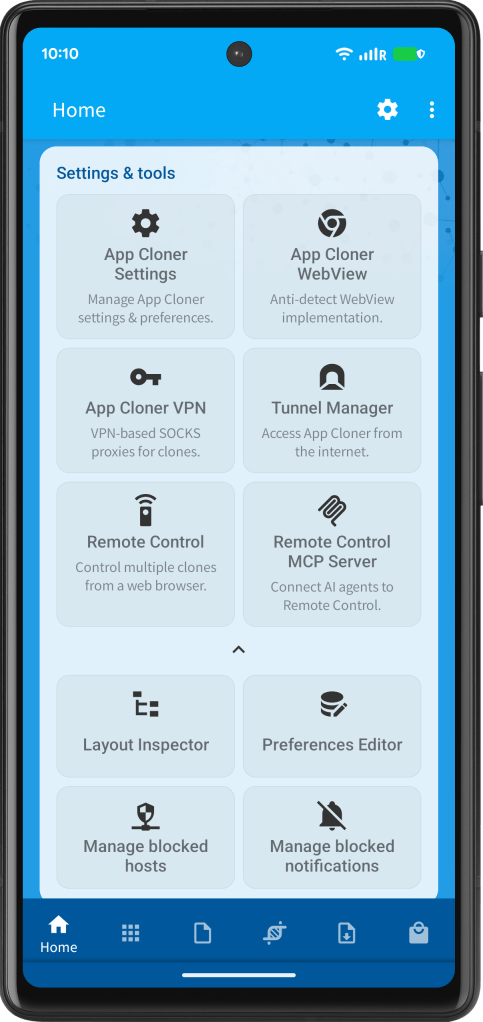
Additionally, you can also open key App Cloner tools such as App Cloner WebView, App Cloner VPN, Tunnel Manager, Remote Control as well as Layout Inspector and Preferences Editor.
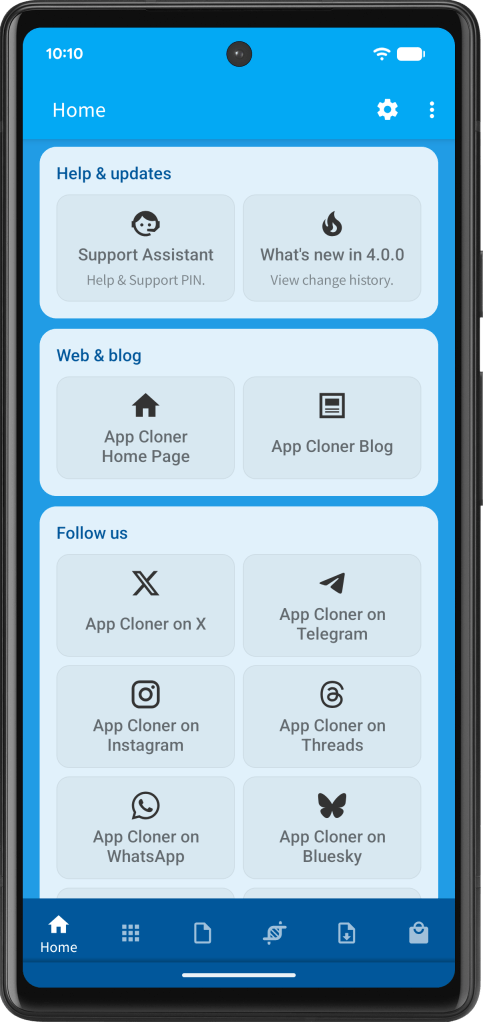
Status messages, update notices, help links and social media links are now displayed more clearly, making App Cloner easier to navigate and use.
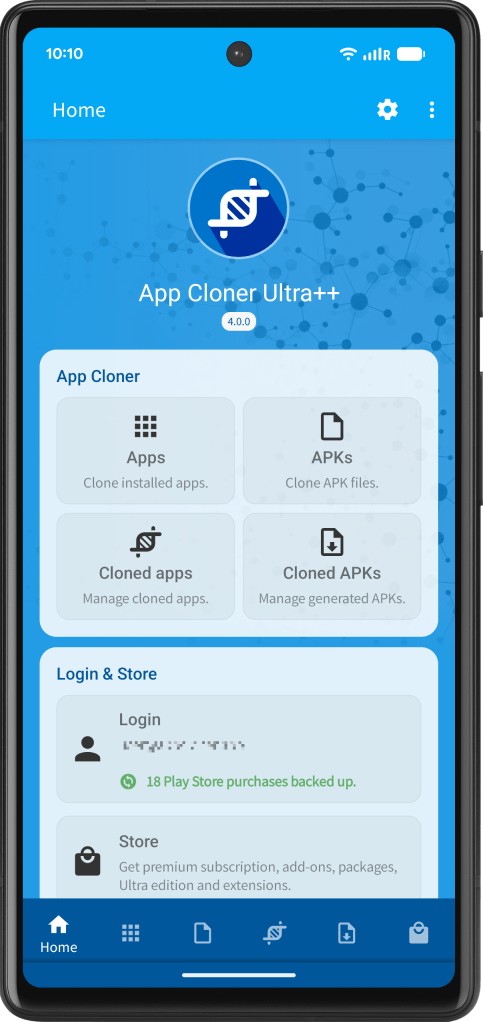
Additionally, clone settings have been reorganized into logical sections, categories and subgroups, making App Cloner easier to use.
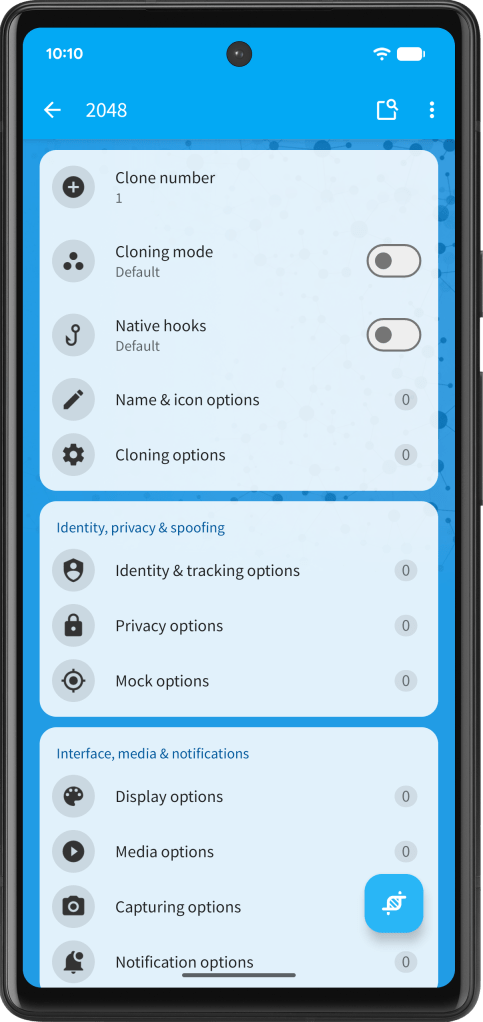
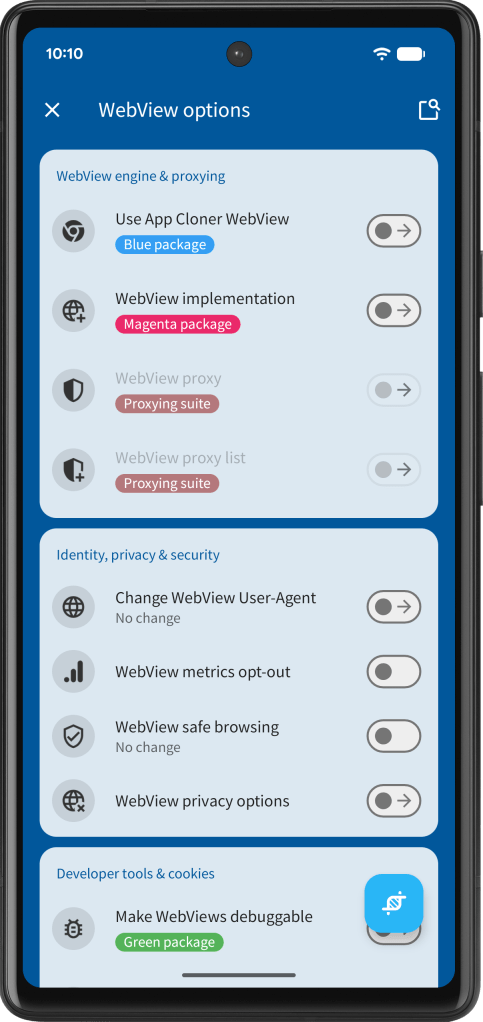
App Cloner VPN
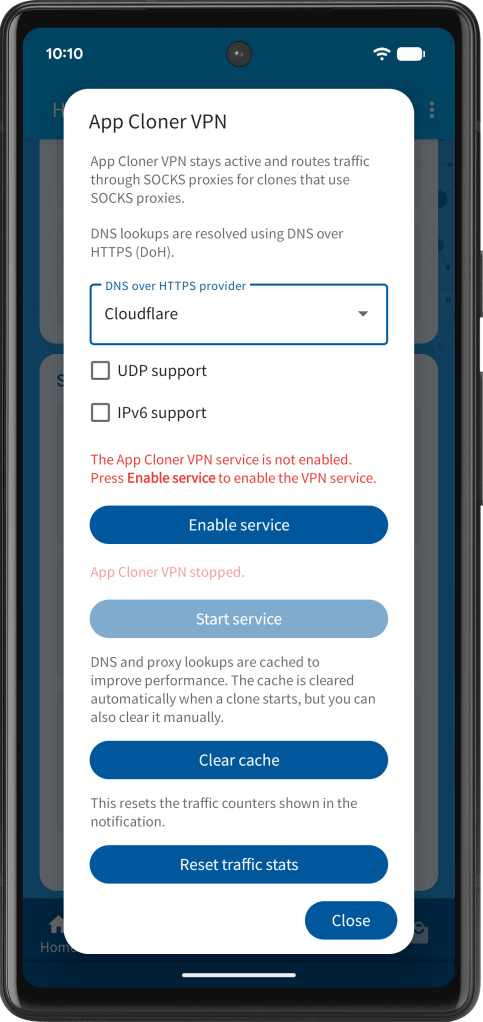
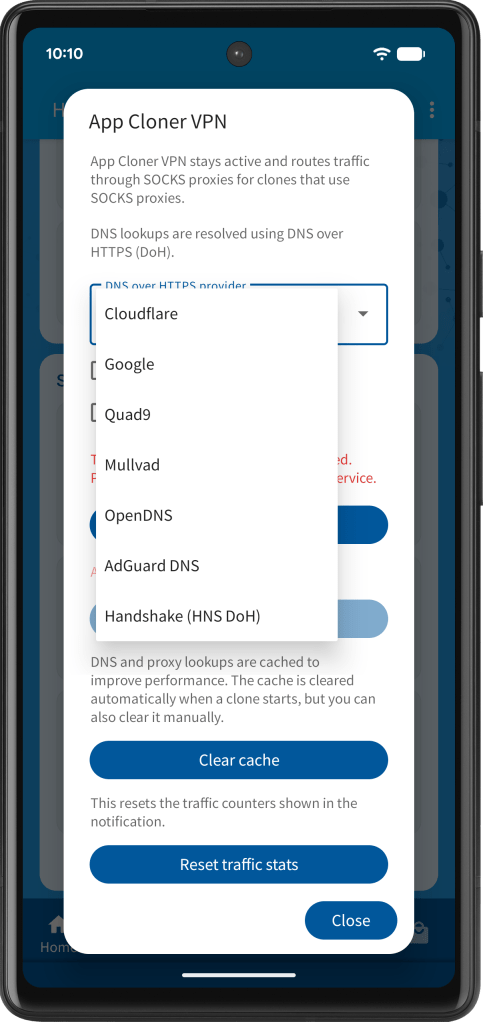
App Cloner 4.0 introduces App Cloner VPN, a new VPN-based system for routing cloned app traffic through SOCKS proxies. It replaces the legacy SOCKS VPN Service, which only supported network connectivity for a single foreground clone at any time while blocking internet access for background clones.
App Cloner VPN is significantly more advanced. It can simultaneously route traffic for multiple cloned apps through their individually configured SOCKS proxies, whether the clones are running in the foreground or background, without switching between them.
For details, see the blog post App Cloner VPN.

AI clone settings & WhatsApp support
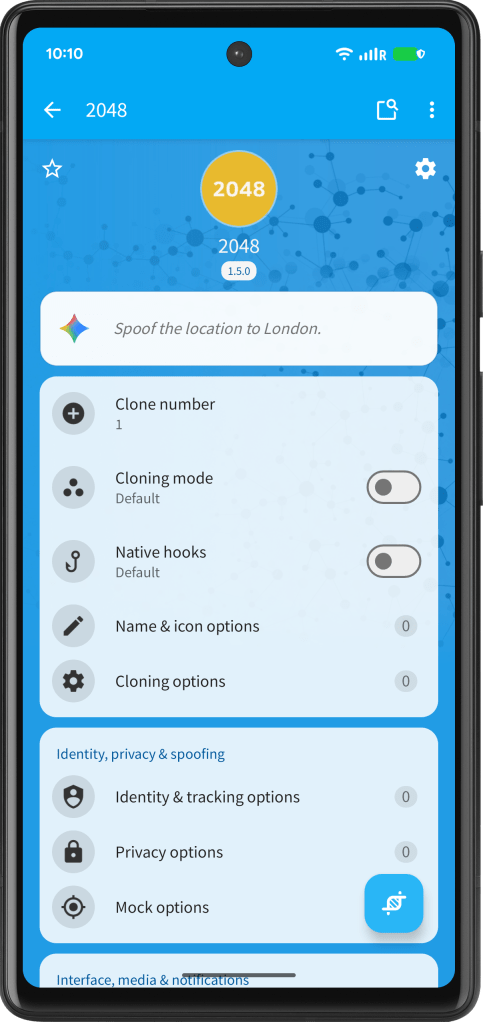
Let AI help you configure your clones. Ultra customers can now describe the clone they want in plain language. App Cloner interprets the request, generates the corresponding clone settings, applies them and shows a summary.
If you do not want the AI clone settings field to be shown, you can hide it in the App Cloner Settings.
See https://x.com/AppCloner/status/2089705577794748901.
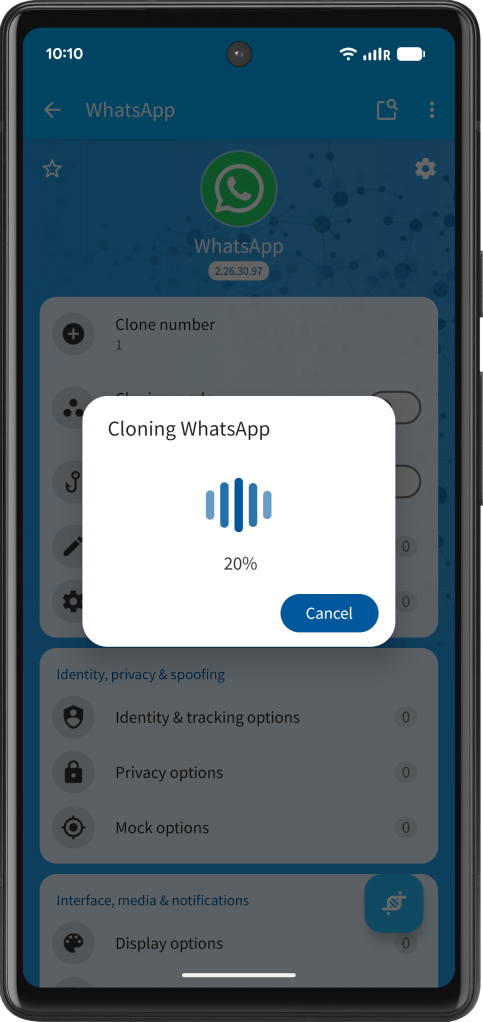
After more than 8 years, WhatsApp cloning is back. App Cloner 4.0 brings new WhatsApp & WhatsApp Business support!
Make sure to use the default registration method or obtain the verification code from another WhatsApp instance. Alternative registration methods may not work. If your number is marked as high-risk, additional security checks are required during registration, which may prevent registration from working. WhatsApp cloning requires the Ultra edition.
See https://x.com/AppCloner/status/2086787245638565934.
Tunnels, proxies & VPN
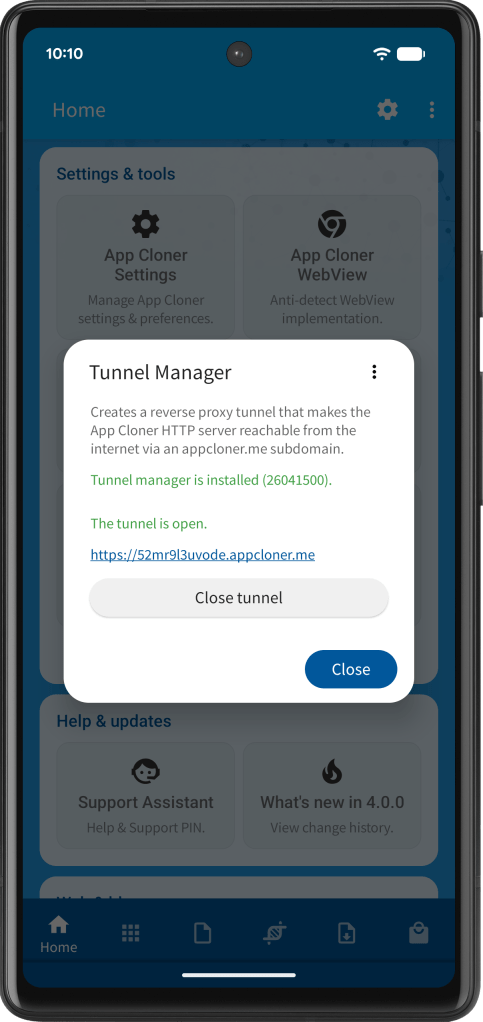
App Cloner 4.0 improves Tunnel Manager stability, making tunnel connection setup more reliable and reducing the risk of negative DNS caching.
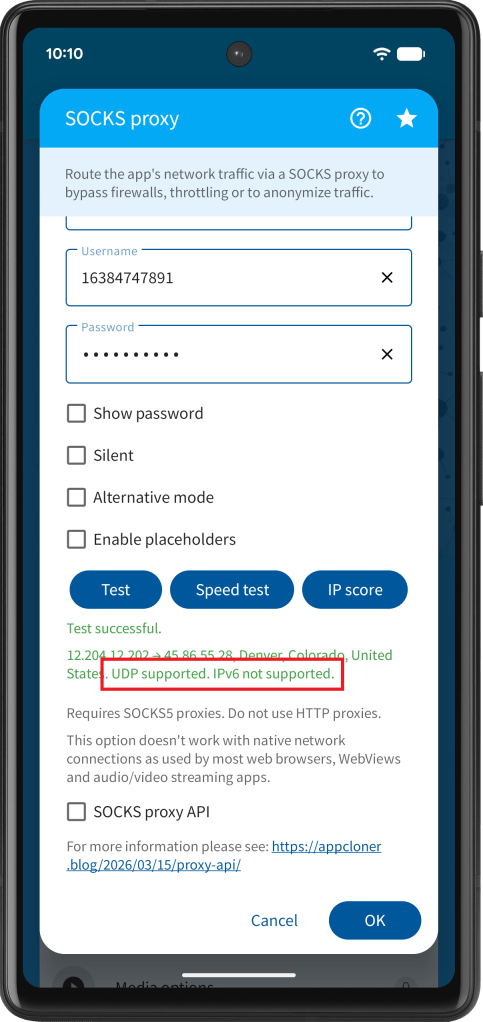
App Cloner now checks whether your SOCKS proxy supports UDP during proxy testing. This is useful for apps that rely on UDP traffic, such as voice, video, gaming or real-time services. Additionally, it checks for IPv6 support. See https://x.com/AppCloner/status/2090803969010675915.
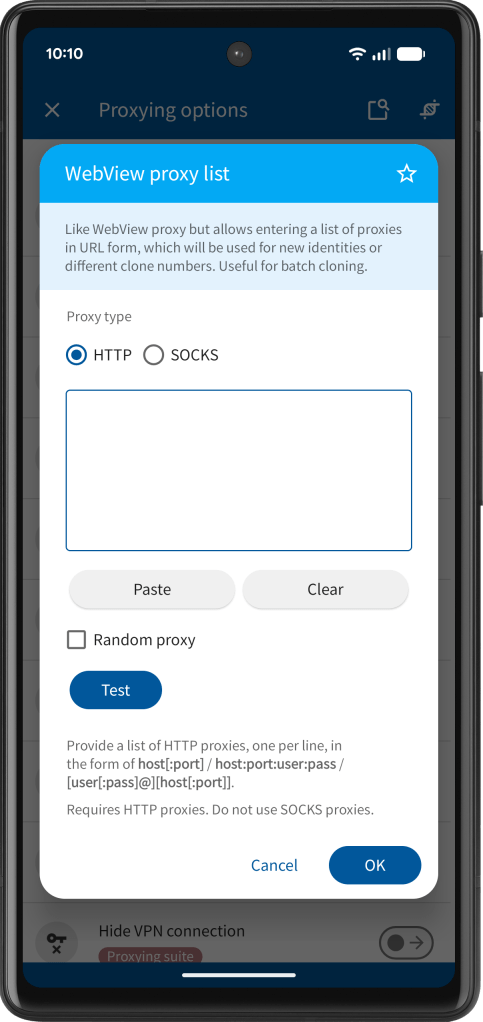
App Cloner 4.0 adds the new WebView proxy list option, ideal for batch cloning and creating new identities. See https://x.com/AppCloner/status/2057906419119092060.
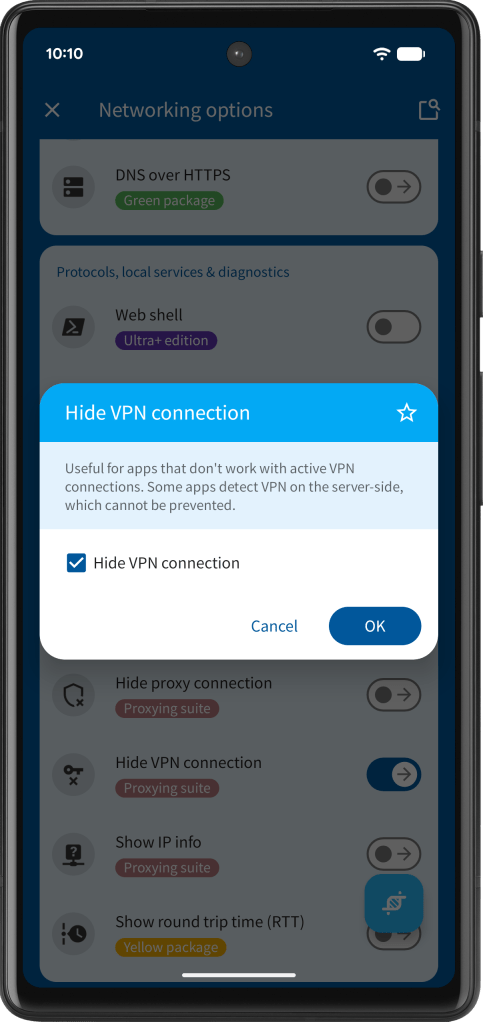
App Cloner also improves the Hide VPN connection option for special cases where apps use more advanced VPN detection. See https://x.com/AppCloner/status/2091955924542095709.
Device profiles
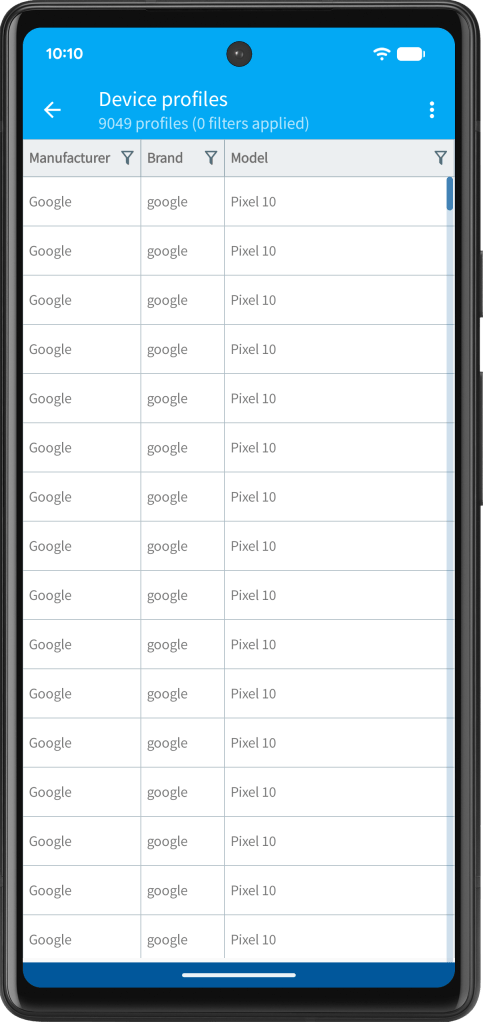
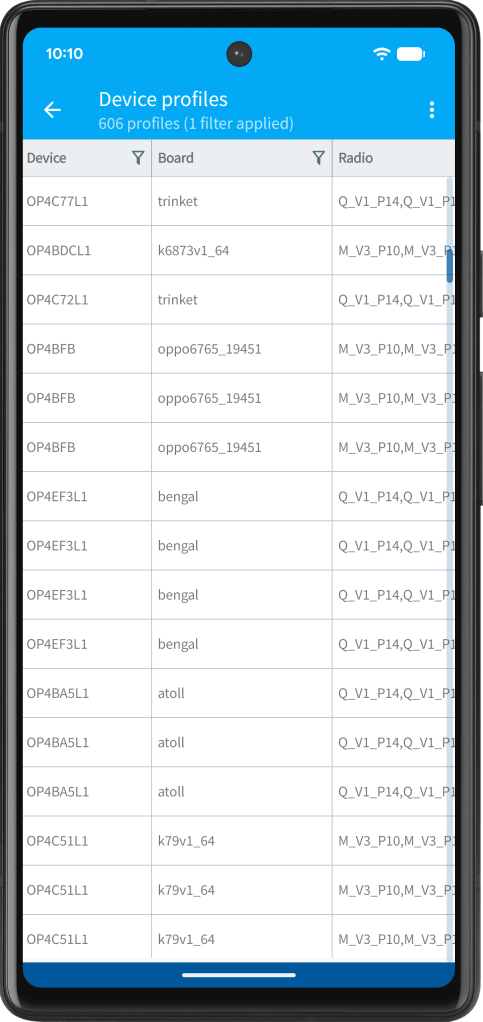
App Cloner 4.0 introduces the Device profiles option with over 10,000 real-world devices. This contains detailed build properties including board, radio, hardware, bootloader, fingerprint, build, security patch, SOC and many more.
Tap the filter icon to filter by manufacturer, brand, model and more.
This option replaces the legacy Randomize build props option.
See https://x.com/AppCloner/status/2088239410311741839.
Identity options
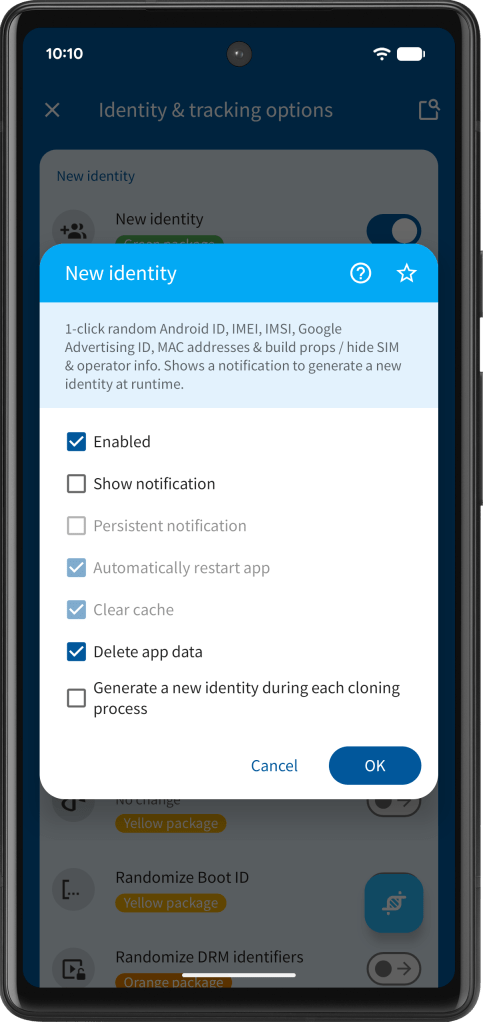
The New identity option now removes the cloned app’s Android accounts when its data is cleared.
This is important for apps that store login sessions in Android accounts. If these accounts are not removed, the app may automatically log the user back in, even after a new identity has been generated and the app data was cleared.
See https://x.com/AppCloner/status/2093244722026516637.
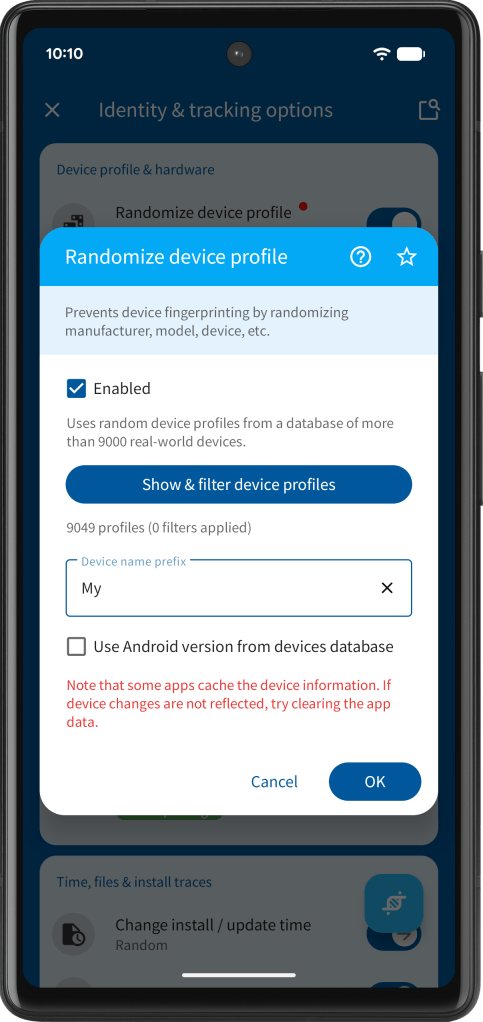
App Cloner 4.0 improves the randomization of the following device identifiers: Google Services Framework (GSF) ID, Google Advertising ID, Amazon Advertising ID, Huawei Advertising ID, Facebook Attribution ID and App Set ID. Please note the new identifiers will be used automatically when a clone is updated using App Cloner 4.0. Other unique device identifiers remain unchanged.
See https://x.com/AppCloner/status/2092577655921299922.
App Cloner 4.0 also updates the MAC OUI (Organizationally Unique Identifier) database, which is used to generate valid, real-word random MAC addresses.
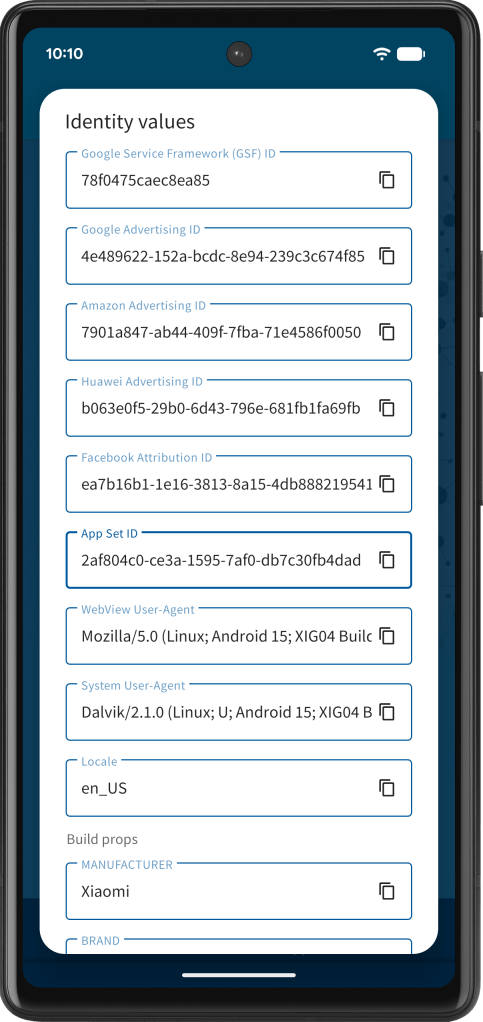
App Cloner 4.0 also introduces Identity seed & index, giving you precise control over identity randomization across many options. It also includes an identity mixer that turns touch input into unique seed values.
See https://x.com/AppCloner/status/2097945946411958326.
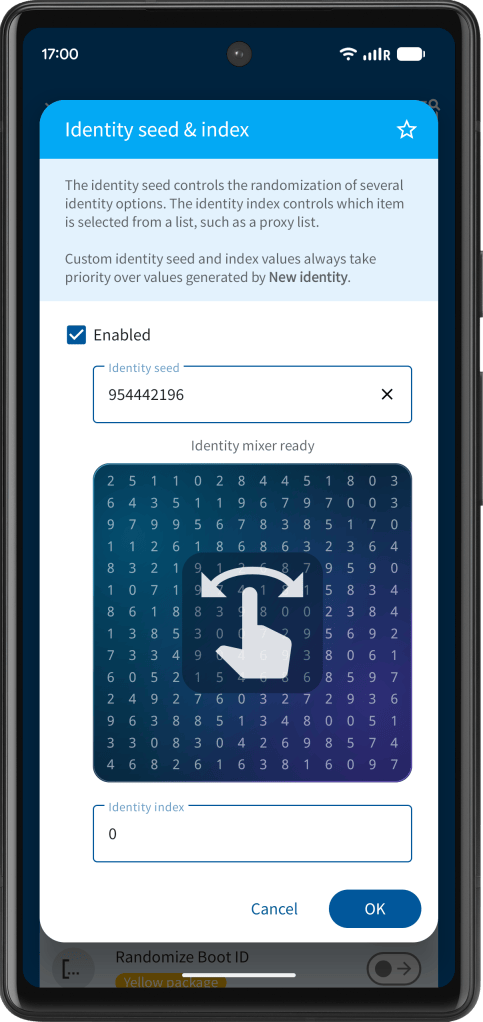
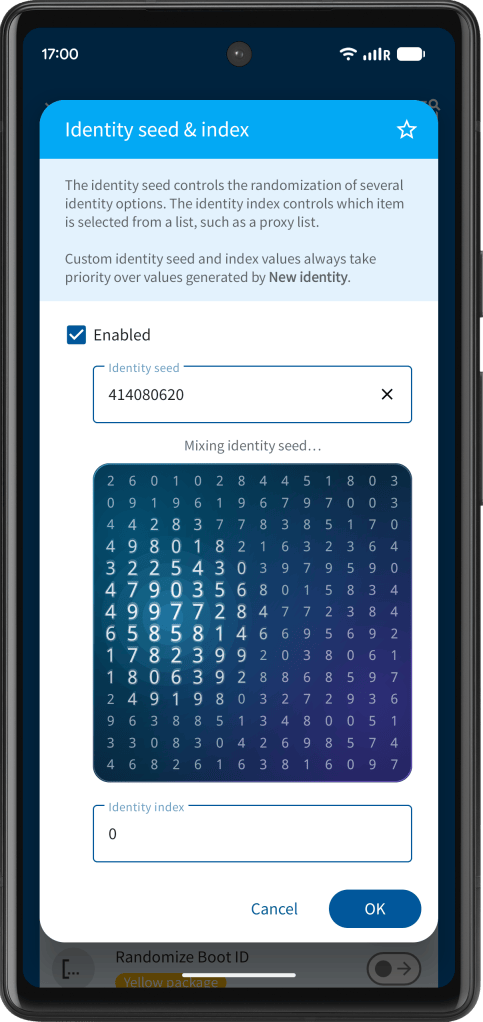
App Cloner 4.0 takes identity and tracking protection to the next level, with 10 new hook sites and coverage for 250 system property identifiers. Your private data is safer than ever.
See https://x.com/AppCloner/status/2100873627944243544.
Early renewal
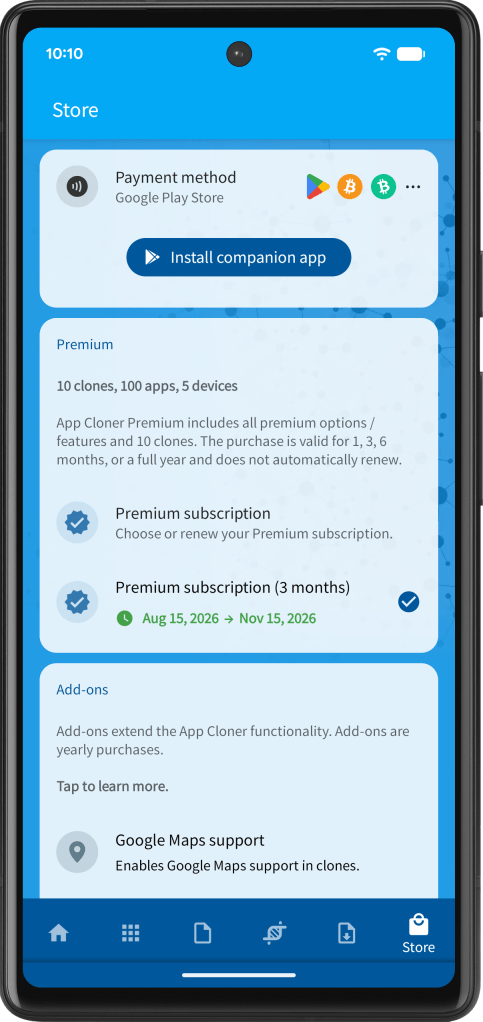
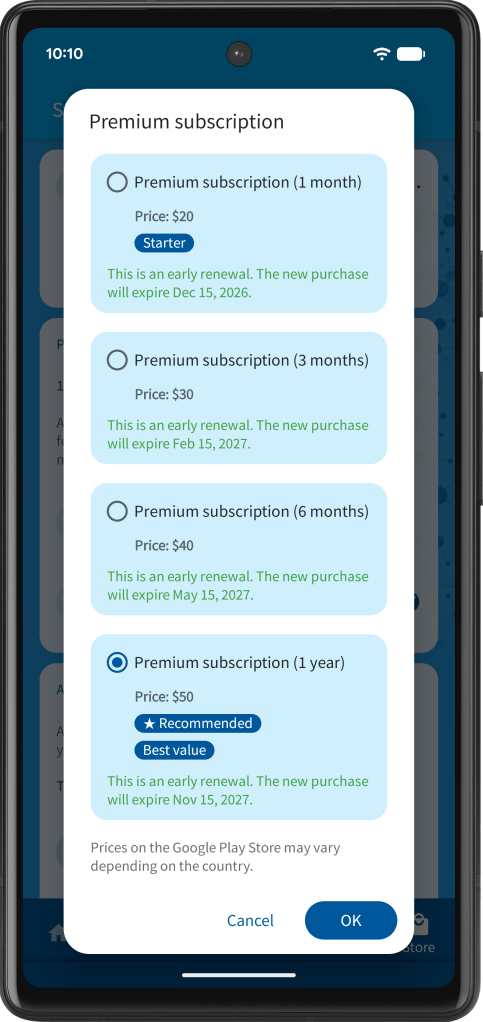
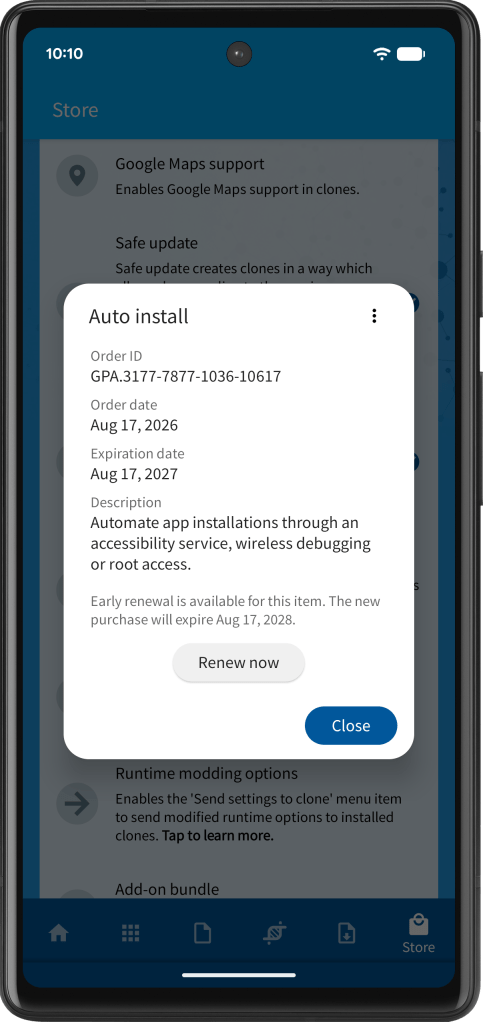
Starting with App Cloner 4.0, you can renew your Premium subscription early instead of waiting for it to expire before purchasing it again.
The renewed subscription period is added to the end of your current subscription. The purchase dialog will indicate when a Premium subscription purchase is an early renewal and will show the exact new expiry date after renewal.
Early renewal is also available for add-ons.
See https://x.com/AppCloner/status/2093028901505421566.
Ultra editions
The prices of the Ultra editions have been reduced: Ultra is now $1,000, Ultra+ is $2,000 and Ultra++ is $3,000.
Starting with the App Cloner 4.0 release (*), Ultra editions are yearly purchases. This does not affect previous Ultra purchases, which remain lifetime purchases. Early renewal of Ultra editions is supported.
(*) This refers to the final release date, not any beta release.
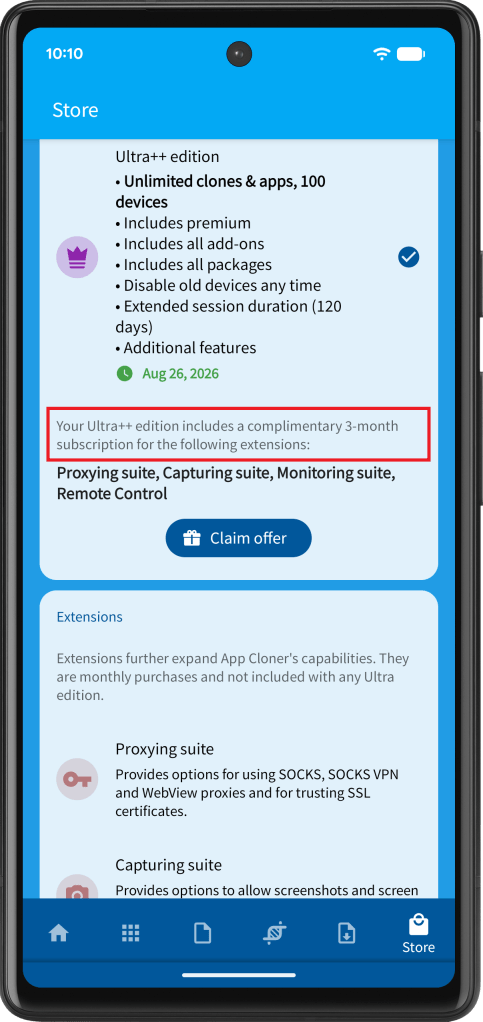
App Cloner 4.0 expands the Ultra offers for extensions. Ultra users already get a complimentary 1-month subscription, but Ultra+ users now get 2 months and Ultra++ users get 3 months. These offers are also made available when renewing Ultra.
See https://x.com/AppCloner/status/2092560353381203988.
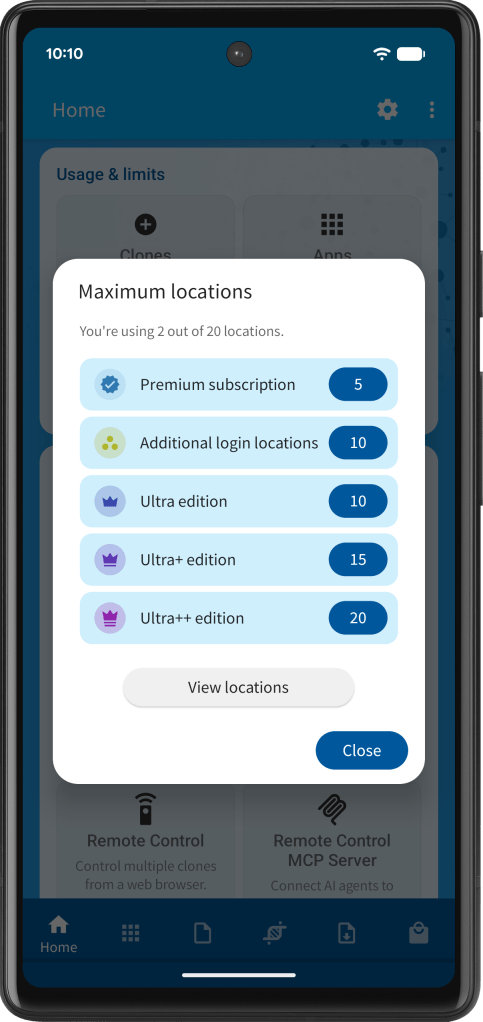
App Cloner 4.0 increases the maximum Ultra+ geographic login locations from 10 to 15, while Ultra++ users now get 20.
See https://x.com/AppCloner/status/2092620421938200973.
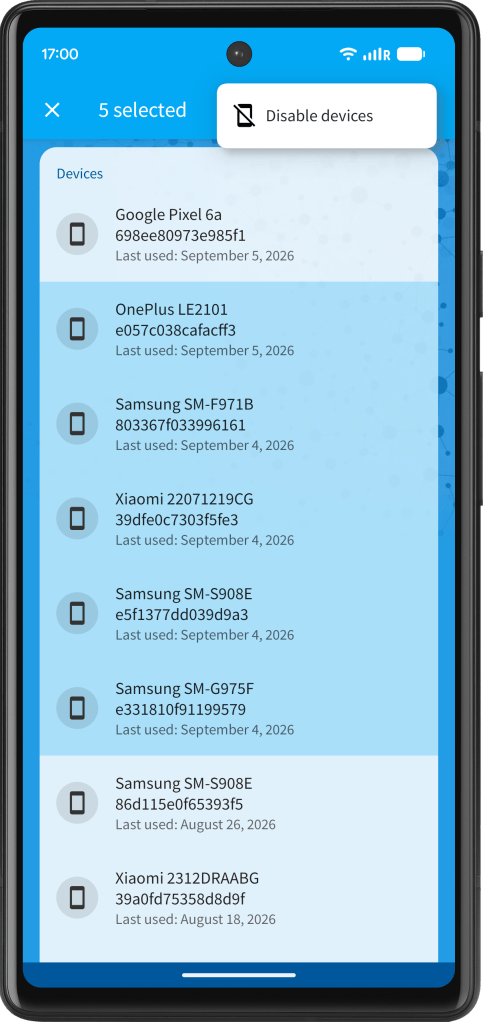
App Cloner 4.0 gives Ultra++ users a new way to batch-disable multiple devices at once. This is useful for quickly cleaning up old or unused devices without handling them one by one.
See https://x.com/AppCloner/status/2096140059301093655.
Hide all installed apps & color picker
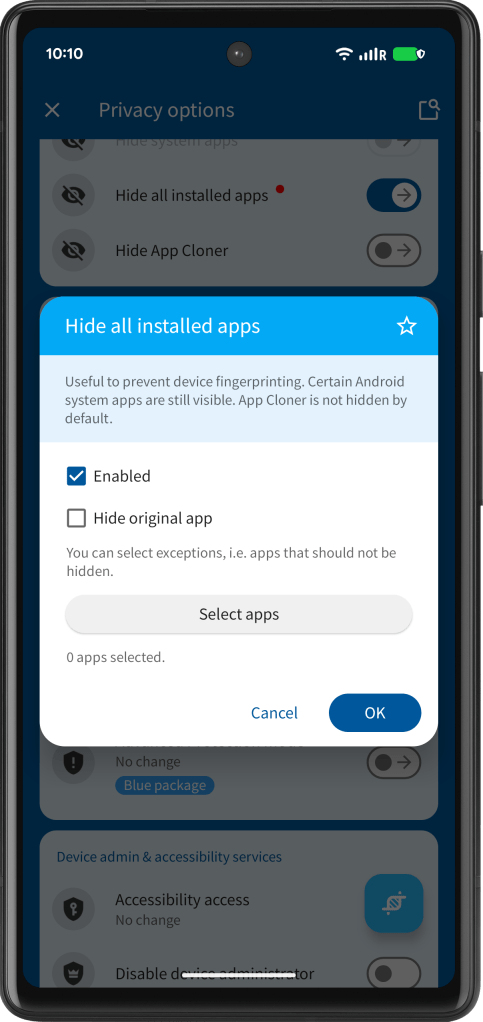
In App Cloner 4.0, Hide all installed apps does not hide the original app by default. To hide the original app as well, enable the additional checkbox.
See https://x.com/AppCloner/status/2090430851402334503.
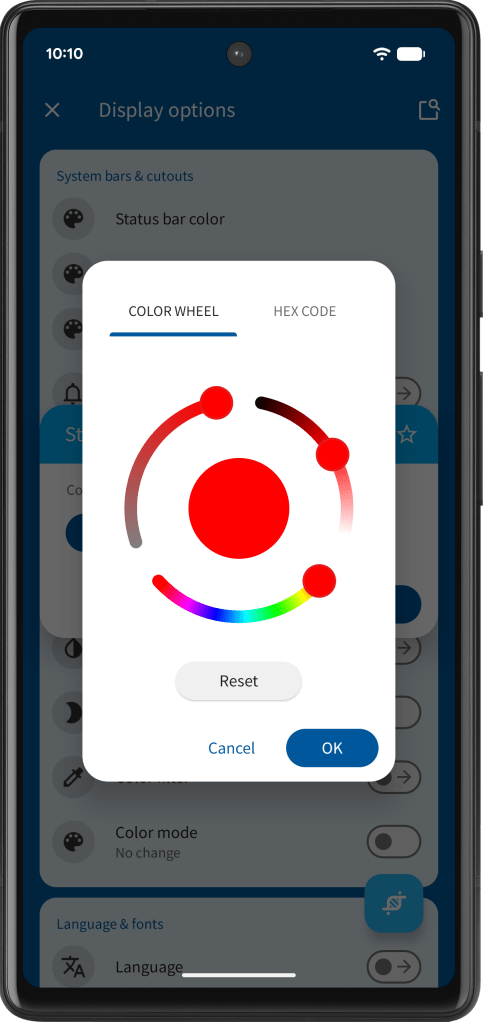
App Cloner 4.0 also refreshes the color picker dialog with a cleaner, more modern look.
See https://x.com/AppCloner/status/2093025631294599289.
Other options updates
App Cloner 4.0 adds Block / redirect file access, a powerful new option for controlling file access in cloned apps. Match files by full path, folder path or file name, then block or redirect them using multiple rules and placeholders. Native hooks are supported too.
See https://x.com/AppCloner/status/2064794542172426504.
The option Prevent app from pausing has an improved extended mode. It can keep the cloned app’s window fully active in the background, helping with simultaneous audio, active WebViews and responsive Remote Control sessions.
For location spoofing, App Cloner 4.0 refreshes its cities database with updated population data and more accurate GPS locations.
See https://x.com/AppCloner/status/2092584480179626433.
App Cloner 4.0 improves random IMSI generation by using the custom or current locale and updated MCC / MNC data to return a valid network operator, even for IP-based locales. Change locale > Use IP locale now also reacts immediately to network changes.
See https://x.com/AppCloner/status/2094819286921679293.
App Cloner 4.0 adds app exclusions for Randomize app installation paths. The app picker also includes Select all, so you can exclude everything first, then allow only the apps you need.
See https://x.com/AppCloner/status/2094907453561573827.
App Cloner 4.0 significantly improves Change install / update time with full randomization and anti-fingerprinting support for all installed apps. Stronger privacy, more realistic app metadata and better identity separation.
See https://x.com/AppCloner/status/2095131897106248093.
Don’t let your keyboard app become a fingerprint. App Cloner 4.0 adds Randomize input method, randomly selecting from 10+ popular keyboard apps such as Gboard, SwiftKey, Emoji Keyboard and others to help reduce identity tracking.
See https://x.com/AppCloner/status/2095453610171859376.
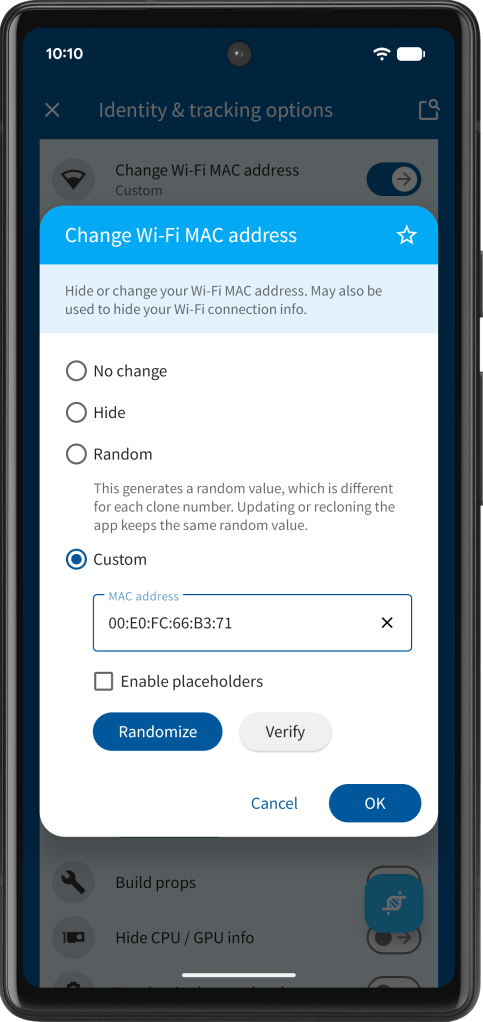
App Cloner 4.0 updates its MAC lists and improves the Change Wi-Fi MAC address option. It now matches MAC vendors to the selected device profile and randomizes access point MAC addresses separately using known router / access point vendors.
See https://x.com/AppCloner/status/2099467537302036524.
App Cloner 4.0 adds Export app details. Export cloned app information such as app name, package name, clone number and much more to a CSV file for easy review and processing.
See https://x.com/AppCloner/status/2103820581183643912.
Foldables and tablets
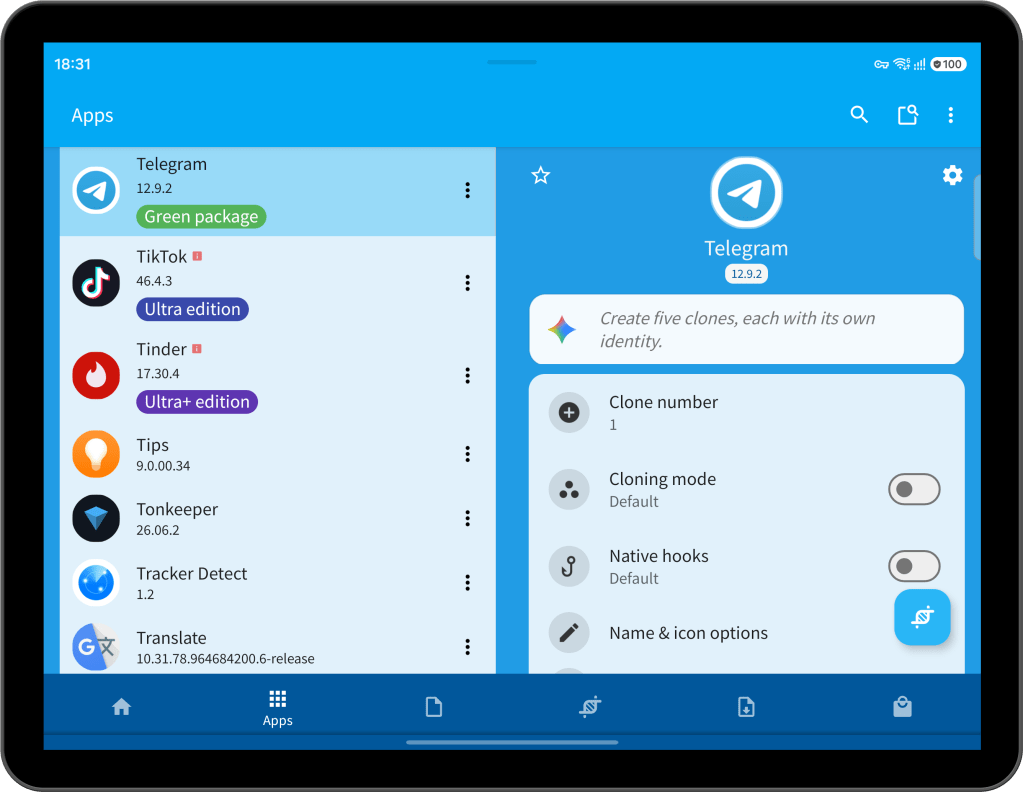
App Cloner 4.0 adds a new two-pane layout for foldables and tablets. Use the extra screen space to view and configure clones more comfortably.
See https://x.com/AppCloner/status/2090446994401841616.
Add APK from Play Store
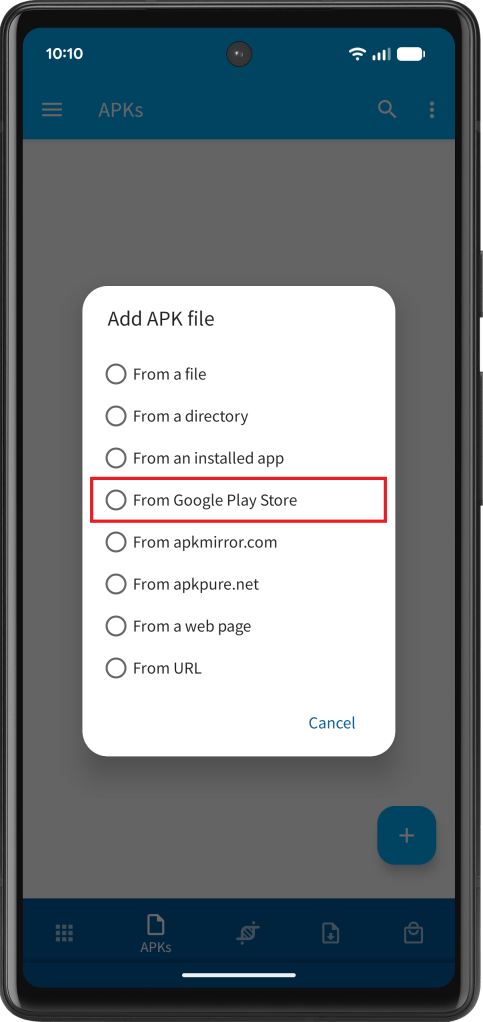
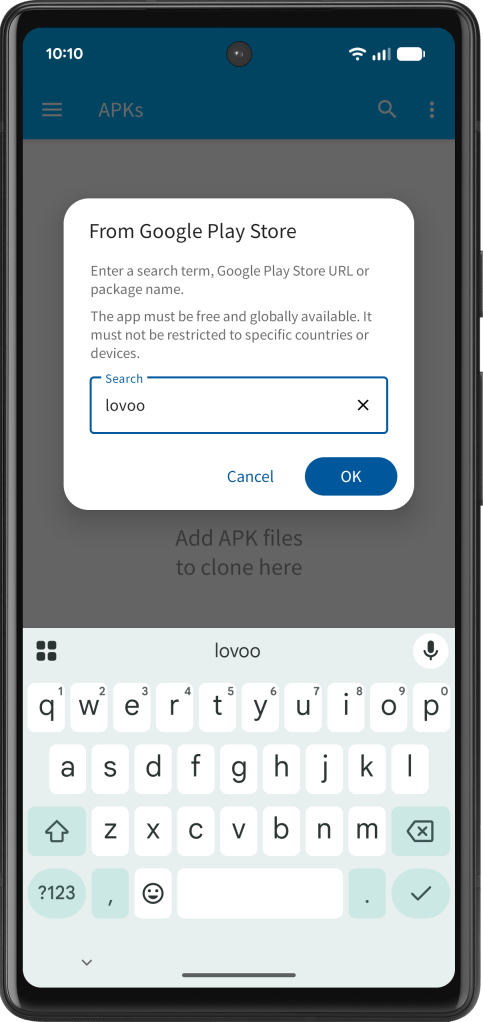
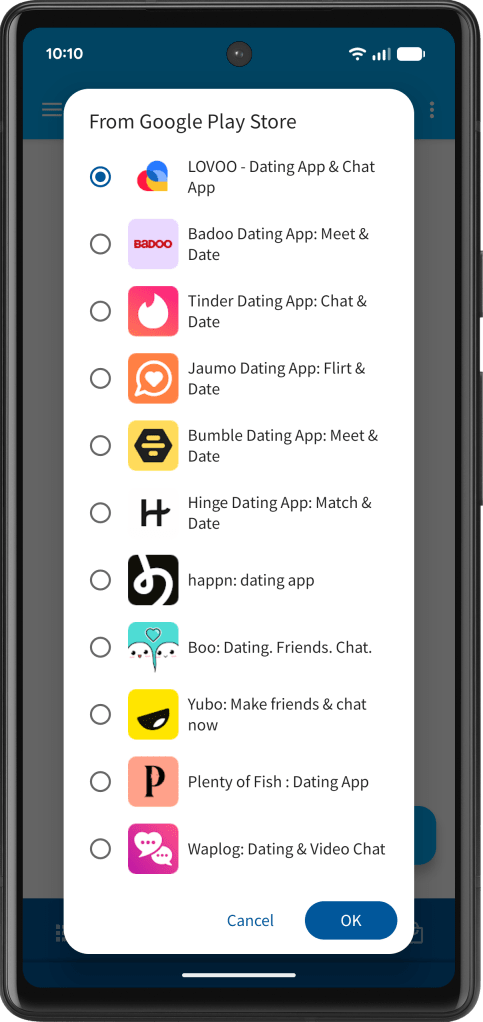
App Cloner lets you add APK files directly from Google Play. Enter a search term, Play Store URL or a package name and App Cloner will download the required app bundle files automatically.
The app must be free and globally available. It must not be restricted to specific countries or devices.
See https://x.com/AppCloner/status/2057761676313690617.
Device support & clone registration
App Cloner 4.0 updates its platform requirements: App Cloner now requires Android 6.0+ and ships as 64-bit only. Note that clones can still be 32-bit.
Rooted devices, or devices with unlocked boot loaders, custom firmware / ROM, are no longer supported for App Cloner itself but may be used for clones. This affects a tiny fraction of users only.
See https://x.com/AppCloner/status/2088579785337520337.
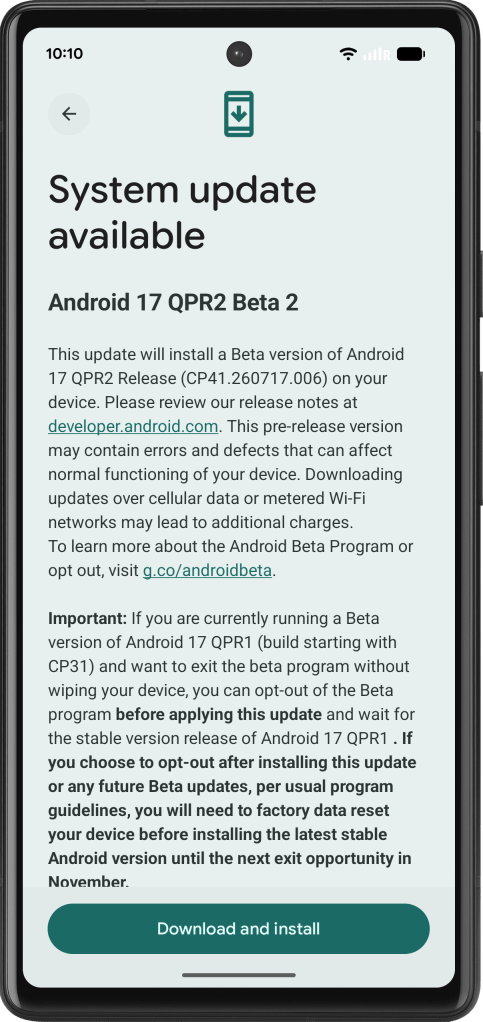
App Cloner now supports Android 17 QPR2 Beta 2 (CP41.260717.006).
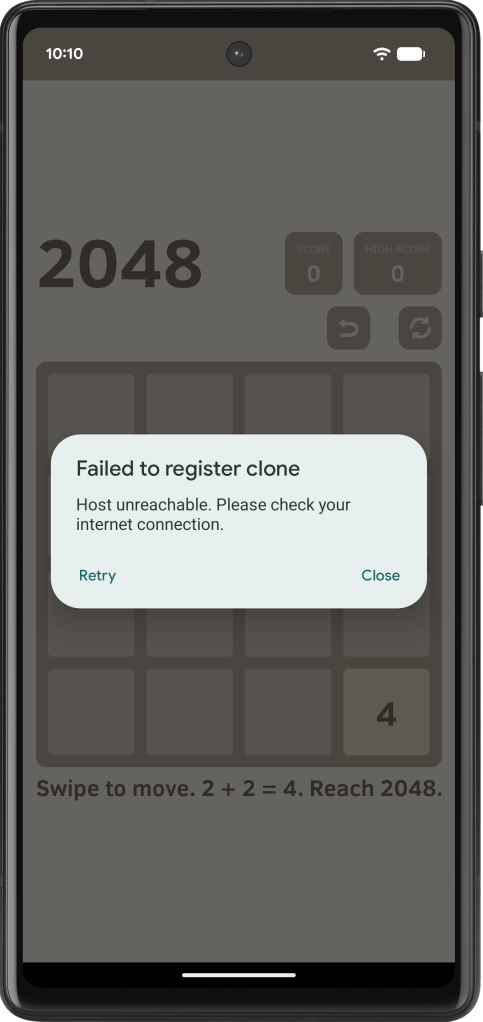
App Cloner 4.0 also improves handling of clone registration issues with a dedicated Retry button. If registration fails, you can now try again more easily.
See https://x.com/AppCloner/status/2091494351826457033.
Miscellaneous
The Package bundle is no longer available for new purchases. This does not affect users who have already purchased the bundle.
Bug fixes and improved cloning for several apps.


You must be logged in to post a comment.