
App Cloner provides two powerful options for inspecting and modifying URLs loaded in WebView components within cloned apps.
Firstly, the WebView URL / data monitor option shows a notification each time a WebView component loads a URL or data string. This allows you to inspect exactly which address or content is being loaded into a WebView component by the cloned app.
The notification shows the first 150 characters of the URL or data string. Tapping the notification copies the full value into the clipboard for further inspection.
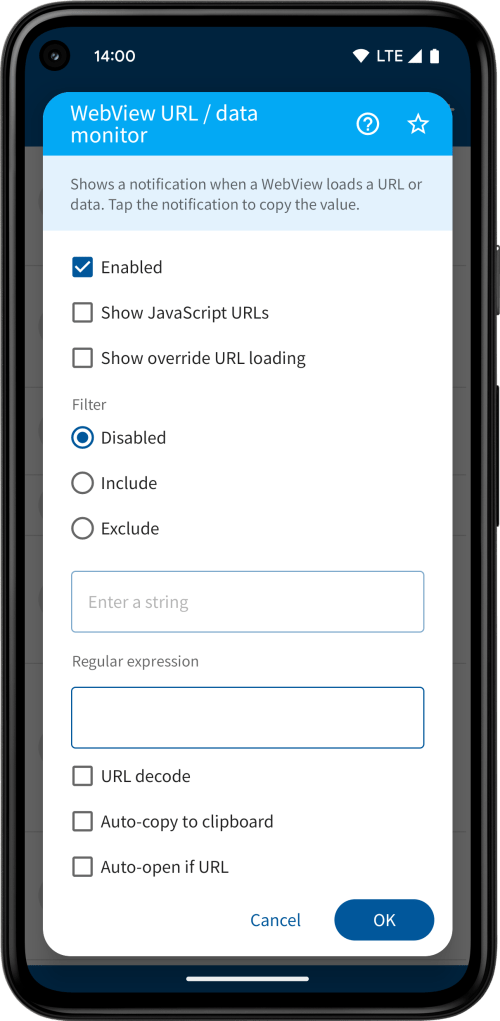


Secondly, the WebView URL / data filter option is an advanced developer option, which uses regular expressions to either replace or block URLs or data strings being loaded that match the given expression.
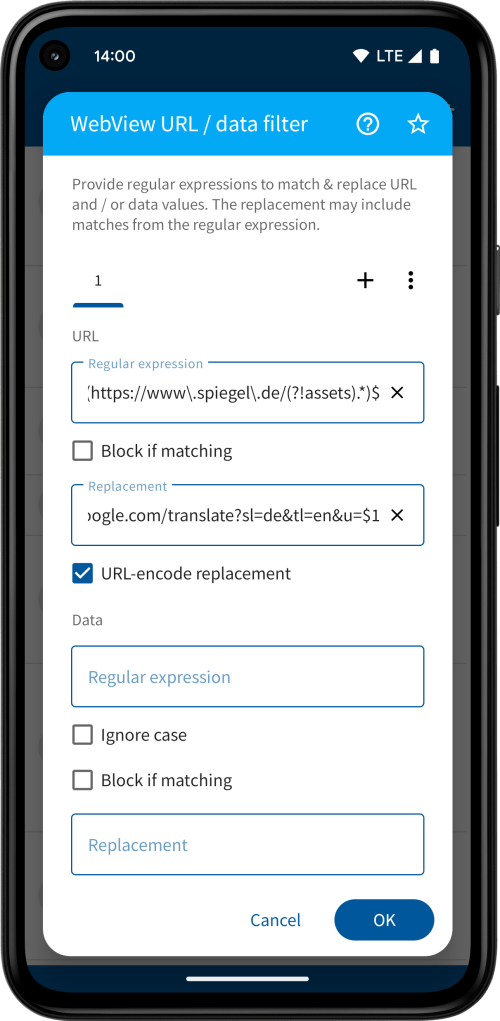
You can use the WebView URL / data monitor option to find out the exact URLs and / or data strings and then formulate your regular expressions to match either all or specific values. Using the tabs at the top you may create multiple expressions and replacements, which will be checked and applied in the given order.
When you block a matching expression the call to load the URL or data string will not be executed. Otherwise you may provide a replacement URL or data string. The replacement may refer to previously matched groups from the regular expression, e.g. $1 will substitute the first matched group, $2 will substitute the second matched group, and so on.
If the replacement URL needs to include the original URL as a URL-encoded parameter, you can check the URL-encode replacement checkbox. This will URL-encode the substitution values for all matched groups, e.g. $1, $2, etc. before inserting it into the replacement URL.
For example, the German news app DER SPIEGEL uses WebViews and loads its articles from https://www.spiegel.de/. As an illustration, we would like to create a clone of this app that uses Google Translate to translate all articles into English before loading them into the Web Views. We can define the following regular expression and replacement while enabling URL-encoded replacements:
Regular expression:
^(https://www\.spiegel\.de/(?!assets).*)$
Replacement:
https://translate.google.com/translate?sl=de&tl=en&u=$1
The ^ matches beginning of the input string and the $ matches the end of the input string. The \. matches the dot as a literal character. This matches any URL starting with https://www.spiegel.de/ as long as the path does not include the word assets (?! is a negative look-ahead).
The result is an app that shows all articles automatically translated.


 App Cloner
You must be logged in to post a comment.