
Many Android apps are being distributed in App Bundle format, where each app consists of multiple APK files: a base APK file and one or more split resource APK files.
App Cloner supports cloning installed App Bundle apps and you can also add or download App Bundles directly in the APKs tab. This lets you clone an App Bundle app without needing to install it first.
The following App Bundle formats are supported:
*.apks, *.zip
These are ZIP archives containing one or more APK files that must belong to the same app.
*.apkm
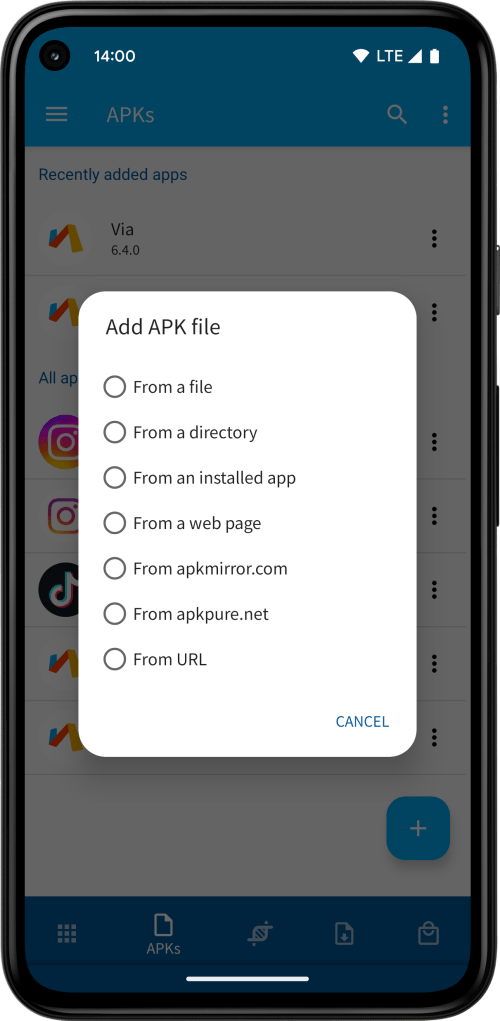
APKM is the App Bundle file format used by APKMirror. APKM files are also supported when downloading from the web or when using the Add APK file > From apkmirror.com option.
*.xapk
XAPK is the App Bundle file format used by APKPure. XAPK files are also supported when downloading from the web or when using the Add APK file > From apkpure.com option.
Additionally, App Cloner also allows you to add APK files from installed App Bundle apps.

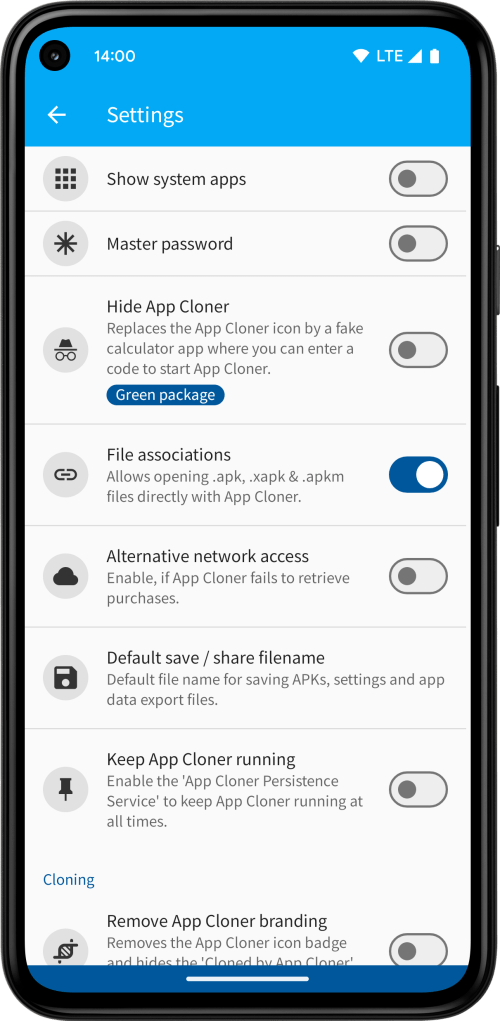
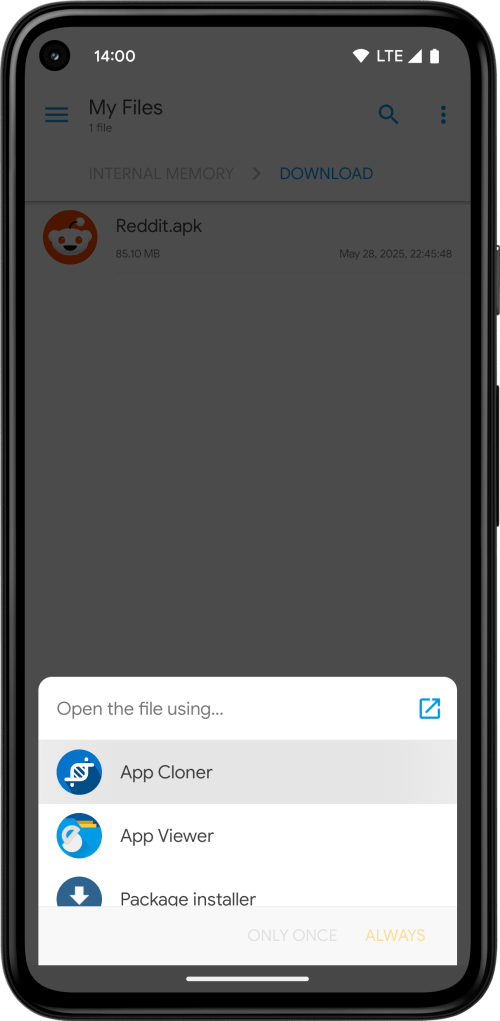
By turning on Settings > File associations, you can open .apk, .apks, .apkm or .xapk files directly from your file manager app and choose App Cloner as the handler. This will launch App Cloner and automatically add the file to the APKs tab.
OBB expansion files
For games, App Cloner also supports OBB expansion files in the APKs tab. If present, any OBB expansion files are automatically extracted when adding XAPK or ZIP files. When adding ZIP files, the expansion files must be located under a directory called Android/obb/ inside the archive.
When you save or share an App Bundle or an app with OBB expansion files, App Cloner will save a ZIP file containing all split APK files, as well as any OBB expansion files under the Android/obb/ directory inside the archive. These ZIP files can then be imported back into the APKs tab.
Note that when sharing multiple apps at the same time, it will generate a single ZIP file containing all selected apps. Such a ZIP file cannot be added back to the APKs tab. It’s better to save multiple apps directly to the file system as this will create individual APK or ZIP files per app.
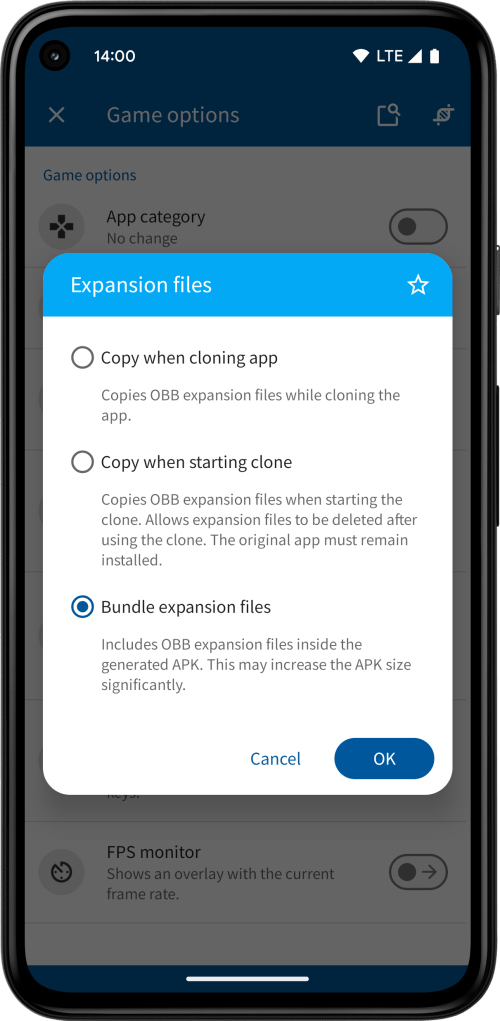
Similarly, when you select the option to bundle the original app inside a clone, App Cloner also supports App Bundles. When extracting the original APK from an installed clone or a generated APK file, it will extract the App Bundle files. In case you used the game option Expansion files > Bundle expansion files it will also extract the OBB expansion files stored inside the clone.

Note that when generating clones, App Bundles are always merged into a single APK file, no matter if cloning from the Apps or APKs tabs.
Keeping different APK versions
If you have the Green package, you may also keep different versions of apps under the APKs tab. If you are adding a new APK file with the same version code, it will simply replace the previous APK file. If, however, you are adding an APK file with a different version code, App Cloner will ask you whether you want to keep or replace the existing version(s).
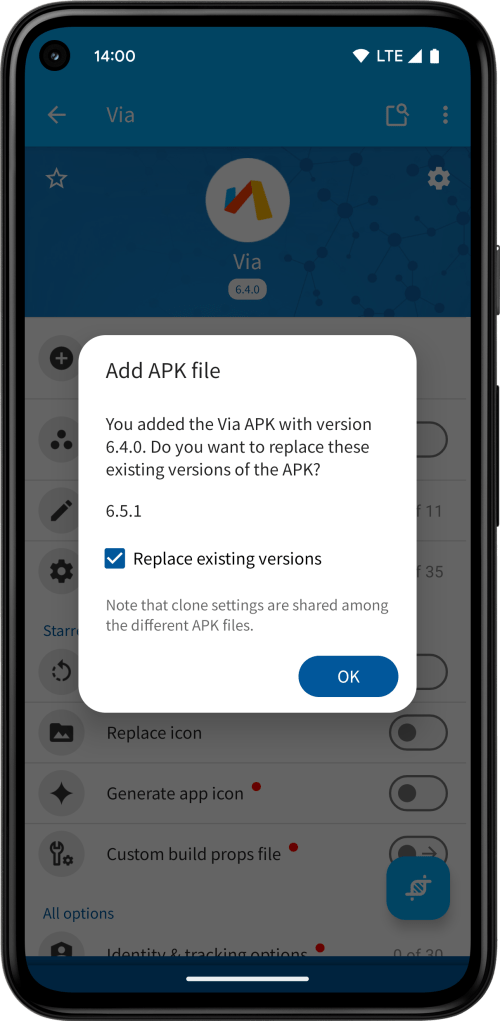

Note that the clone settings are still shared among the different versions. If you make a change to the clone settings of one version, it will also be applied to all other versions of the same app.
 App Cloner
You must be logged in to post a comment.