
The New identity option is a popular and powerful identity & tracking option, which serves as a 1-click shortcut option for:
- Random Android ID & serial
- Random IMEI & IMSI
- Random Wi-Fi, Bluetooth & Ethernet MAC addresses
- Hide Wi-Fi, SIM & operator info
- Hide DNS servers
- Hide CPU / GPU info
- Random Google Service Framework (GSF) ID
- Random advertising identifiers (this changes the advertising identifiers of the following advertising frameworks: Google, Facebook, Amazon & Huawei)
- Random App Set ID
- Random WebView & system User-Agent
- Random build props
- Random battery level & battery temperature
- Random install / update time
- Random user creation time
Each of these can be individually disabled after enabling the New identity option. Keep in mind that, depending on the app, you may also need to enable additional identity & tracking options, as well as privacy options.
The New identity option helps to prevent the cloned app from detecting that it’s running on your device. Each clone receives its own, separate and unique identity.
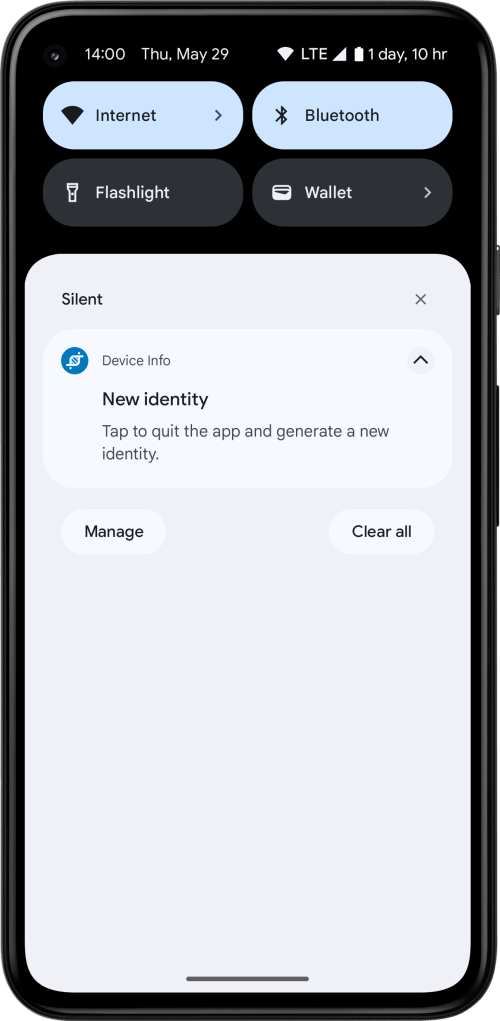
If Show notification is selected the cloned app shows a notification, which if tapped will quit the app and generate a new identity at runtime without having to reclone the app. If Automatically restart app is selected, the app will be restarted after a few seconds (this requires App Cloner to remain installed). Otherwise, you can restart the app yourself.
When restarted, app will then use a new, never-before-seen identity and it will assume that it runs on a different device.
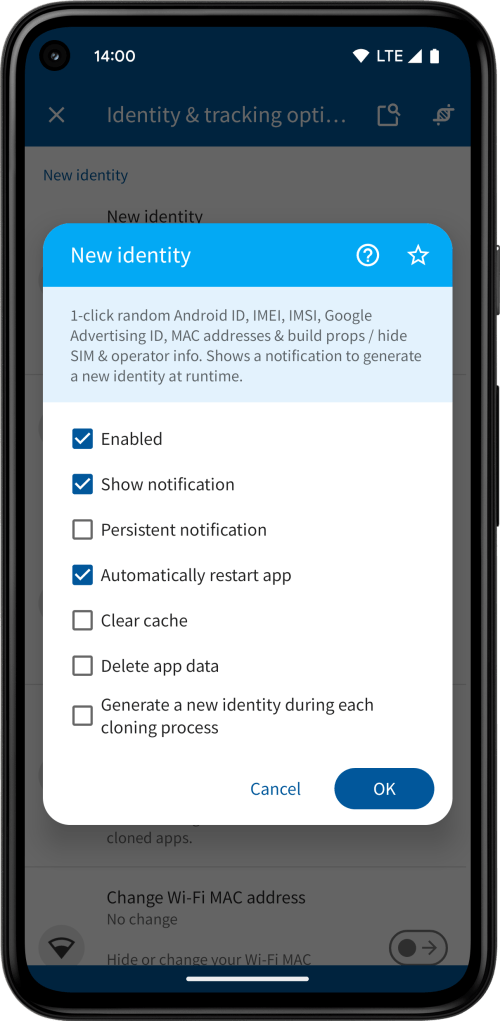
If Clear cache or Delete app data is selected, generating a new identity will also clear the app’s cache or data, respectively (the app data being all the internal app settings and files, including the cache). This may be important in case the app stores device identifiers or other tracking information in its cache or app storage. If you have any open sessions in the cloned app, deleting its app data will also log you out.
The clone’s identity is maintained and updated by App Cloner, which means you need to have the App Cloner app installed on the same device as the cloned app.
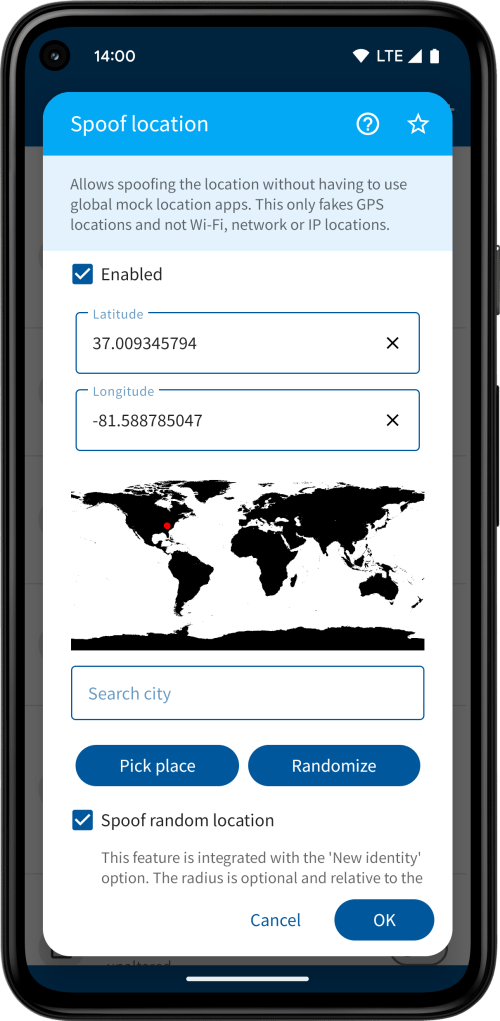
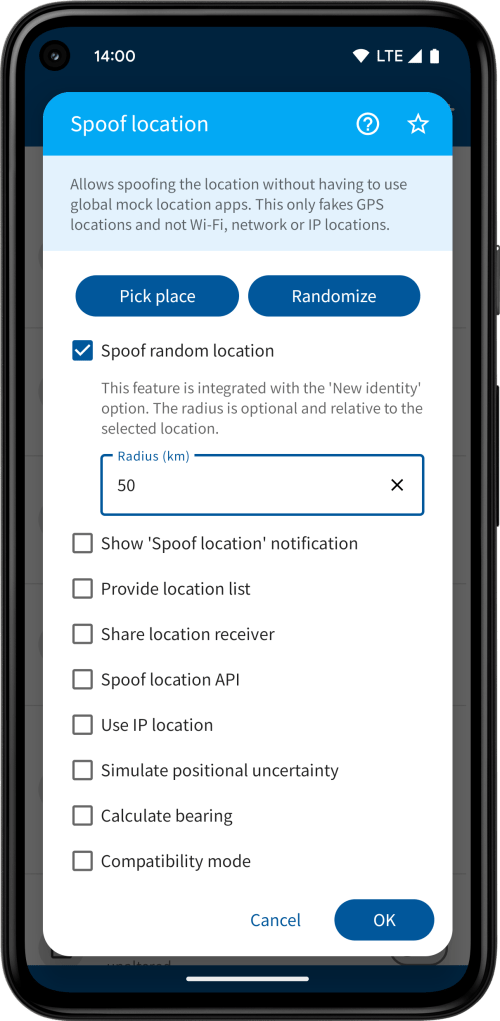
New identity is integrated with the random location spoofing, which can be turned on under the Spoof location privacy option. Every time you generate a new identity it will randomize the location across the globe (locations are selected over land masses) or, if specified, within a defined radius of the selected location. This is for users with the Yellow package.
If you rather not use the notification to generate a new identity you can always use the Clones tab in App Cloner. The New identity menu item is only shown if the app was cloned with the New identity option enabled. Here you can select whether to clear the cache, delete app data and / or restart the clone.
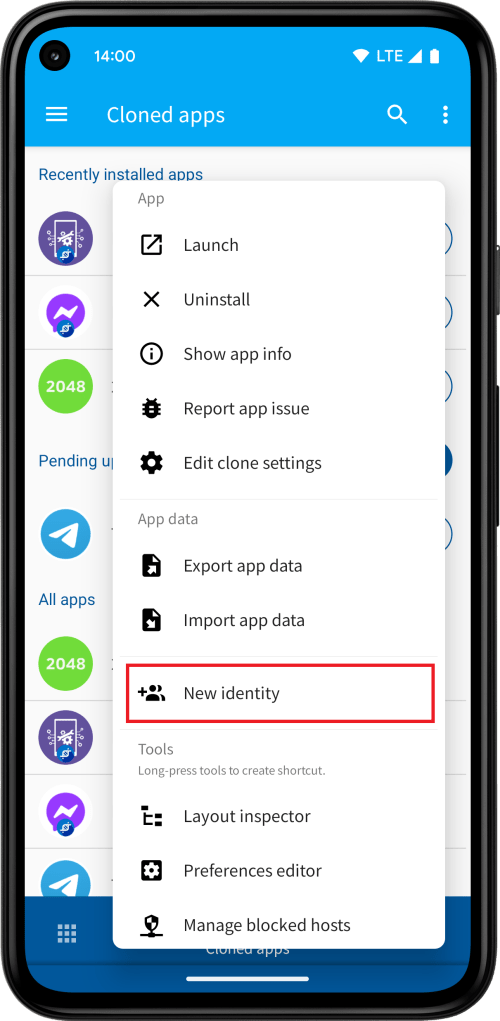
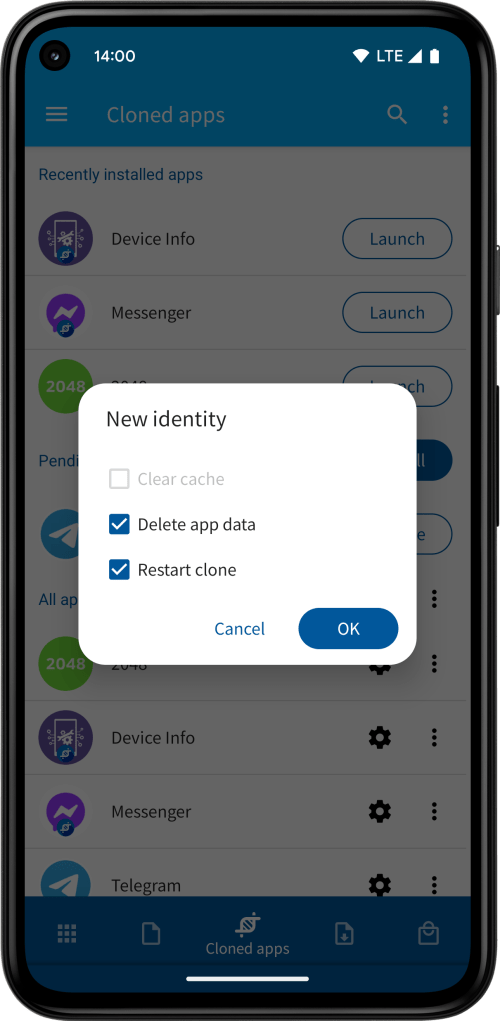
The New identity option may not help if you are trying to log into the same account on different clones or devices. Make sure to use different accounts.
The New identity option is available for users with the Green package. If you have the Yellow package, you can select multiple cloned apps and generate new identities for several clones at once.
Tasker plug-ins
The Tasker plug-in Perform action → New identity is available for users with the Orange package. It can be used to automate generating new identities for your clones.
To configure this Tasker plug-in select App Cloner → Perform action from the Plugin folder, tap the edit icon next to Configuration and select New identity from the Action selector. Then tap Select apps to select one or more apps for which this action should generate a new identity. Select the Clear cache or Delete app data options as necessary.
The Tasker plug-in Get custom value → identity-values is available for users with the Red package. It can be used to retrieve the current identity values of a cloned app in JSON format.
To configure this Tasker plug-in select App Cloner → Get custom value from the Plugin folder, tap the edit icon next to Configuration and tap Select app to select a cloned app for which this action should retrieve the identity values. Then enter or select identity-values as the custom value name.
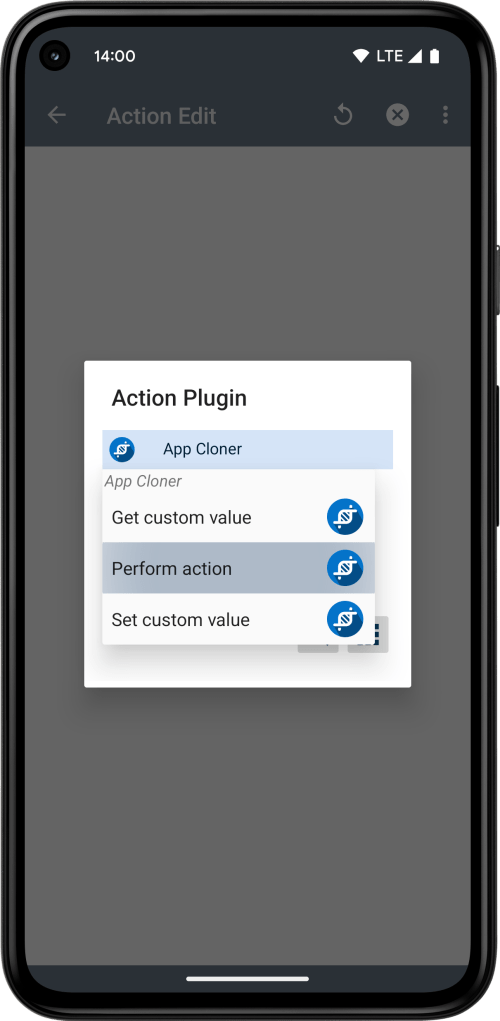
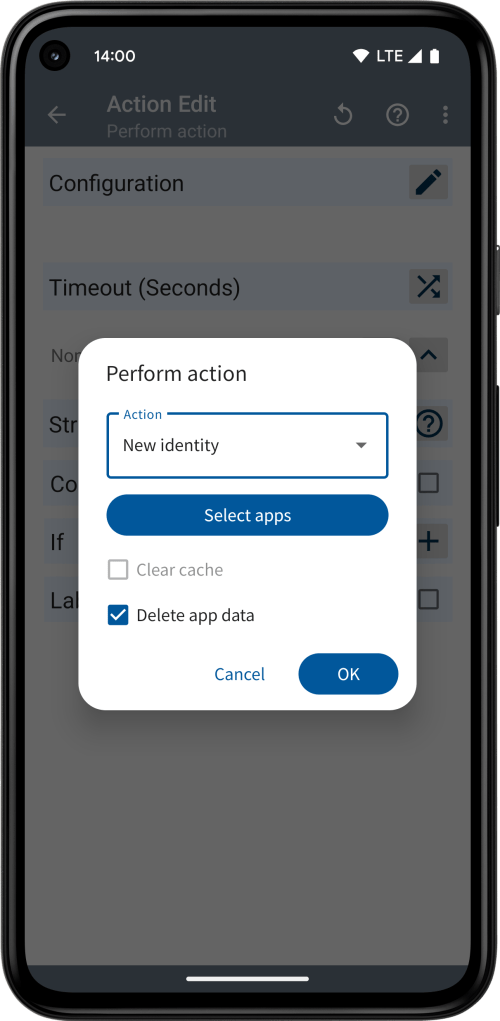
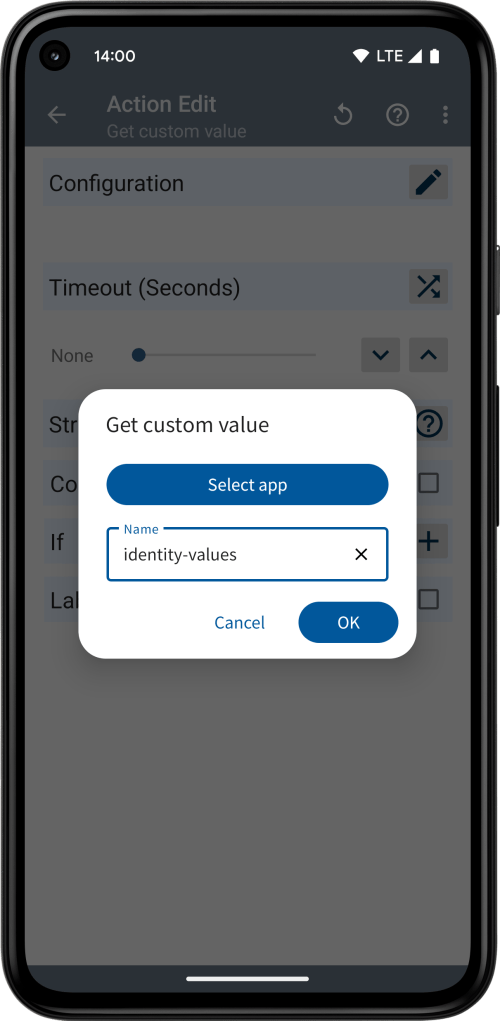
The JSON returned by identity-values might look like this:
{
  "androidId": "acb9c7d7da422e60",
  "imei": "330641914408931",
  "imsi": "330641914409933",
  "wifiMacAddress": "CF:AB:5A:F5:90:27",
  "hideWifiInfo": "true",
  "bluetoothMacAddress": "CF:AB:5A:F5:90:27",
  "googleServiceFrameworkId": "1573aff8e5719bc9",
  "googleAdvertisingId": "1473bff7-e561-6b0b-15de-efb0047a4867",
  "amazonAdvertisingId": "1473bff7-e561-6b0b-15de-efb0047a4867",
  "facebookAttributionId": "1473bff7-e561-6b0b-15de-efb0047a4867",
  "locale": "en_052",
  "manufacturer": "Umax",
  "brand": "9f7518a2b866aee8",
  "model": "8Qa_3G_EEA",
  "product": "92917cd91ecfdb10",
  "device": "8Qa_3G",
  "board": "92917cd91ecd5247",
  "radio": "92917cd91ecd775c",
  "hardware": "3b8de012fde8bae7",
  "bootloader": "cbf5a59051547ec4",
  "fingerprint": "a91a30e12bef7f75",
  "build": "WUL2.939135.282",
  "osVersion": "3e1e2247513ac925",
  "installUpdateTime": "1661254226114",
  "webViewUserAgent": "Mozilla/5.0 (Linux; Android 13; 8Qa_3G_EEA Build/WUL2.939135.282;) AppleWebKit/537.36 (KHTML, like Gecko) Chrome/101.0.0001.130104 Mobile Safari/537.36"
}
You can use the entire JSON structure through the variable %customvalue, or, if you select the Structure Output checkbox in Tasker, you can access individual fields via %customvalue.androidId.
New identity Broadcast API
The New identity Broadcast API is available for users with the Orange package. It can be used to automate generating new identities for your clones.
You can use the New identity Broadcast API via the following ADB command:
adb shell am broadcast -p com.applisto.appcloner -a com.applisto.appcloner.api.action.NEW_IDENTITY --es package_name <packageName> [--ez clear_cache {true|false}] [--ez delete_app_data {true|false}]
The –es package_name parameter specifies the package name of the cloned app, which you can see when opening the app info dialog of the cloned app under Clones. Optionally, you can pass either true or false for parameters –ez clear_cache and / or –ez delete_app_data.
 App Cloner
You must be logged in to post a comment.