
App Cloner 3.0 introduces a new installation method that automates app installations using wireless debugging. Available on devices running Android 11 or higher, this method provides a seamless installation experience without the need for root access.
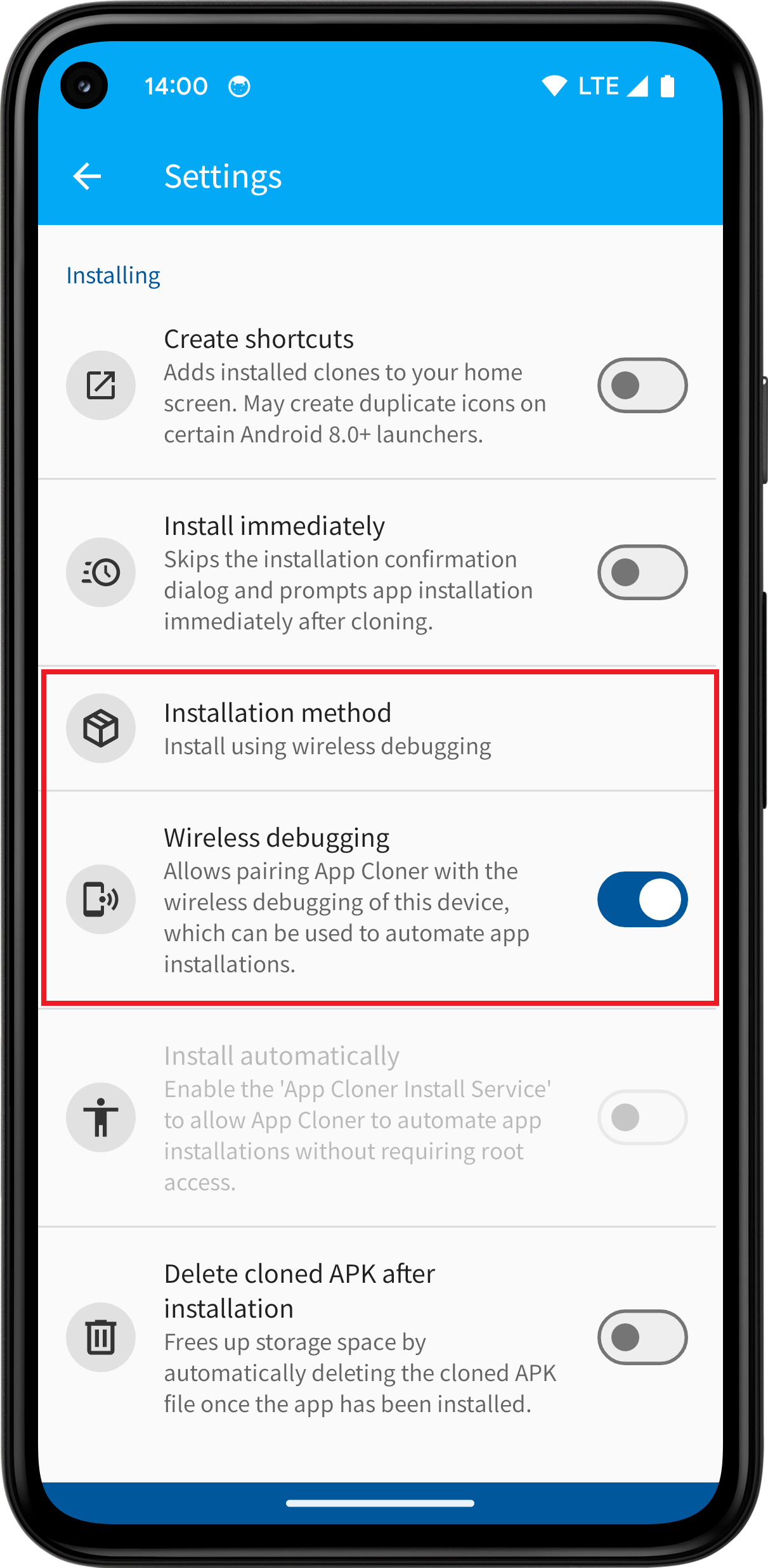

After selecting the installation method, tap Wireless debugging to begin the pairing process:
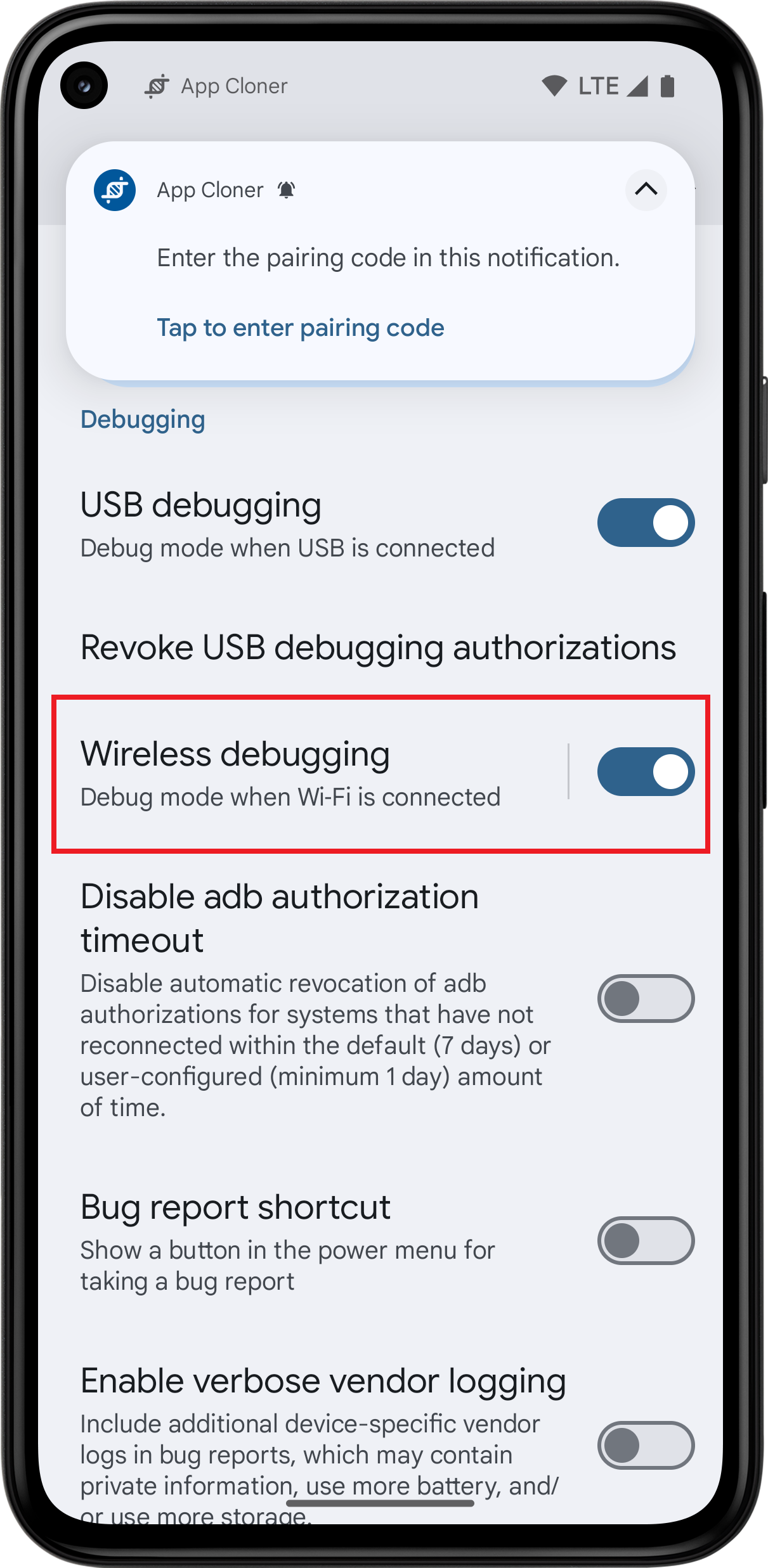
1. Enable and open the Android Developer options, then enable Wireless debugging.
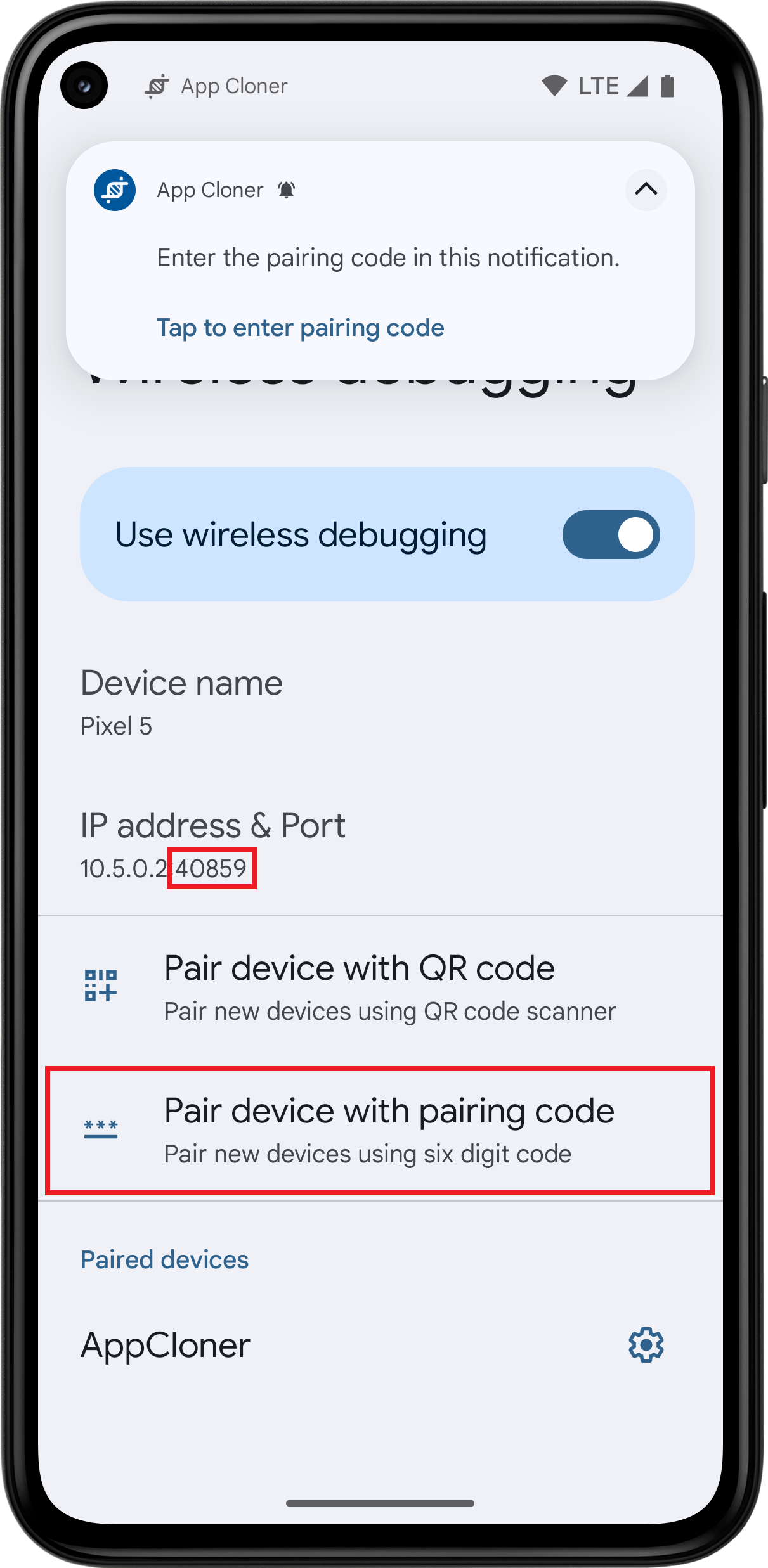
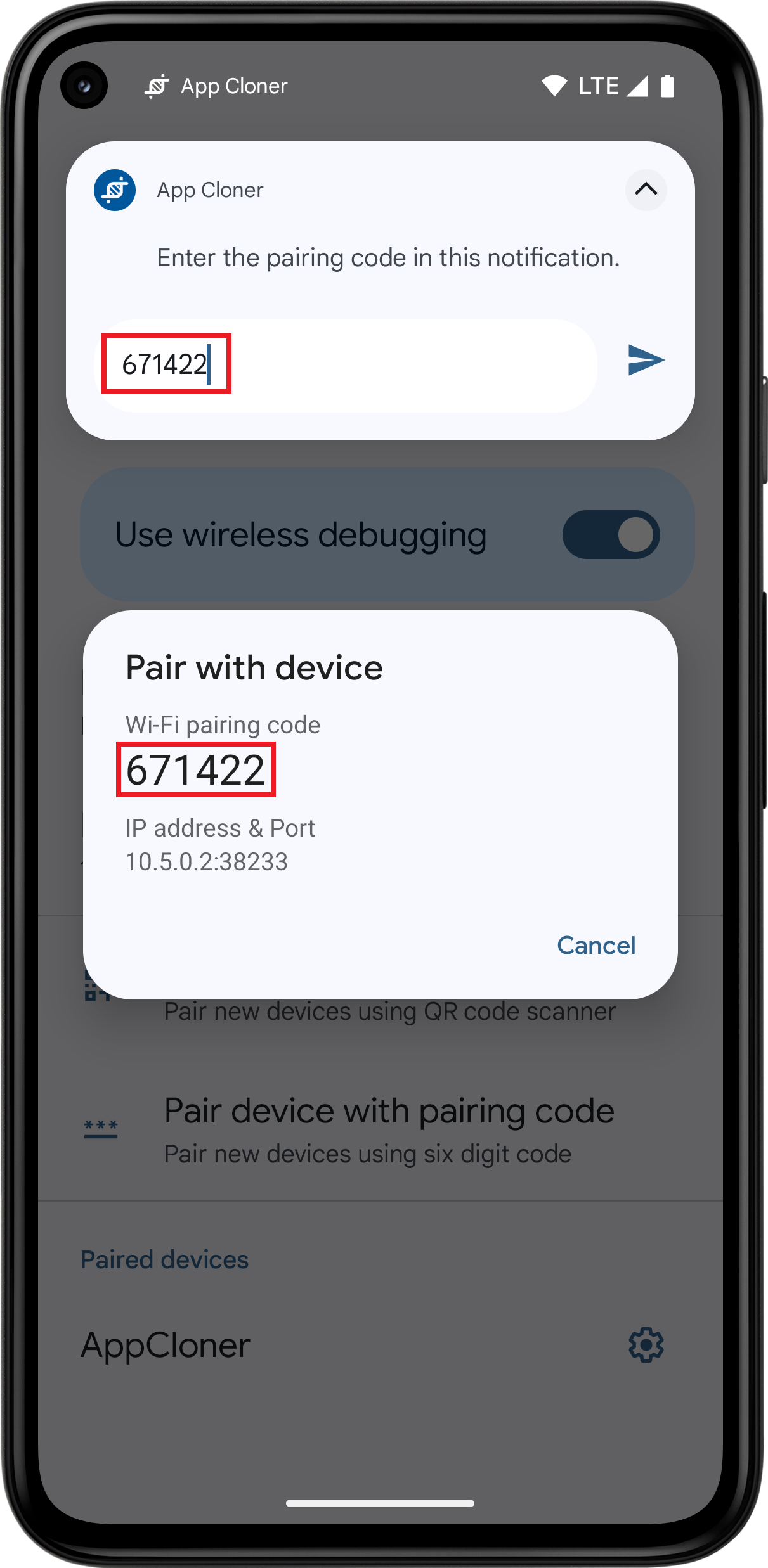
2. Tap on Pair device with pairing code.
3. Enter the pairing code directly into the notification shown by App Cloner. If the notification was dismissed, return to App Cloner and repeat the process.
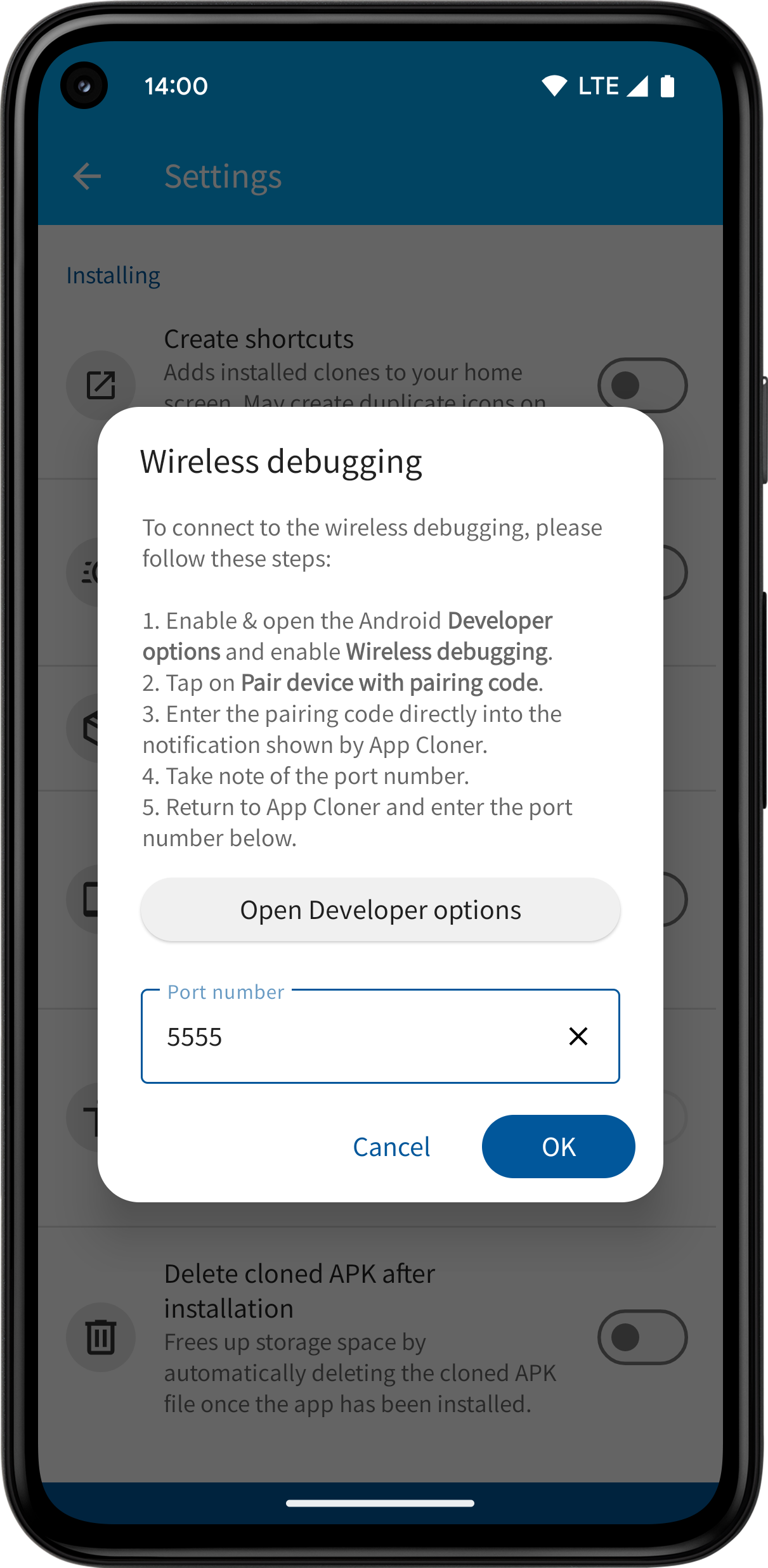
4. Remember or take note of the port number. Make sure to use the port number shown on the Wireless debugging page and NOT inside the Pair with device dialog.
5. Return to App Cloner, enter the port number and press OK.
App Cloner will display a message once it successfully connects to your device’s wireless debugging interface. Additionally, Android will show a notification whenever wireless debugging is active.
When you start App Cloner the next time, it will automatically reconnect to the wireless debugging interface.
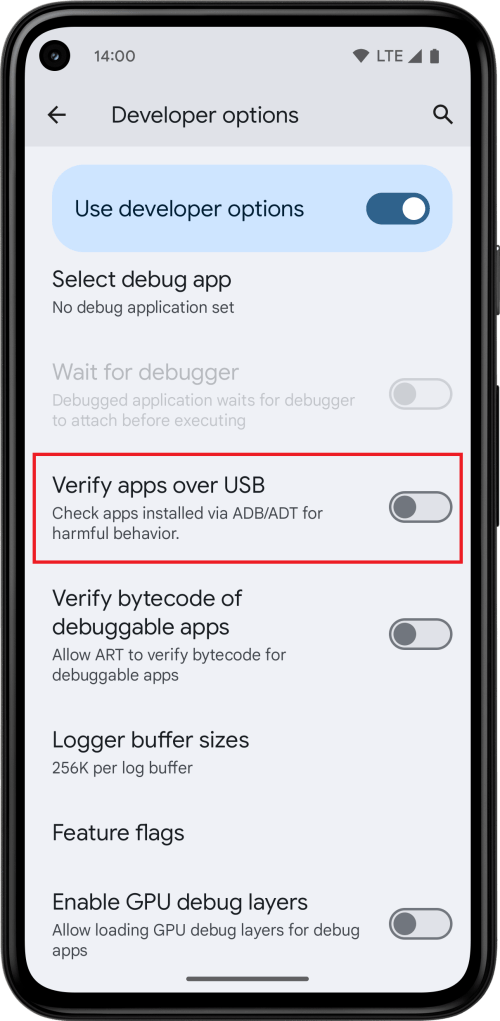
Be sure to disable the Verify apps over USB setting, as Google Play Protect may otherwise interfere with app installations through wireless debugging. This allows you to keep Google Play Protect enabled, which is generally recommended, while avoiding false warnings for cloned apps.

The Install using wireless debugging installation method is available to users with the Yellow package.
 App Cloner
You must be logged in to post a comment.