
Google Play Protect may automatically block installations of apps targeting older Android versions and erroneously label them as unsafe.
This affects both the App Cloner app downloaded from the official website and generated clones.
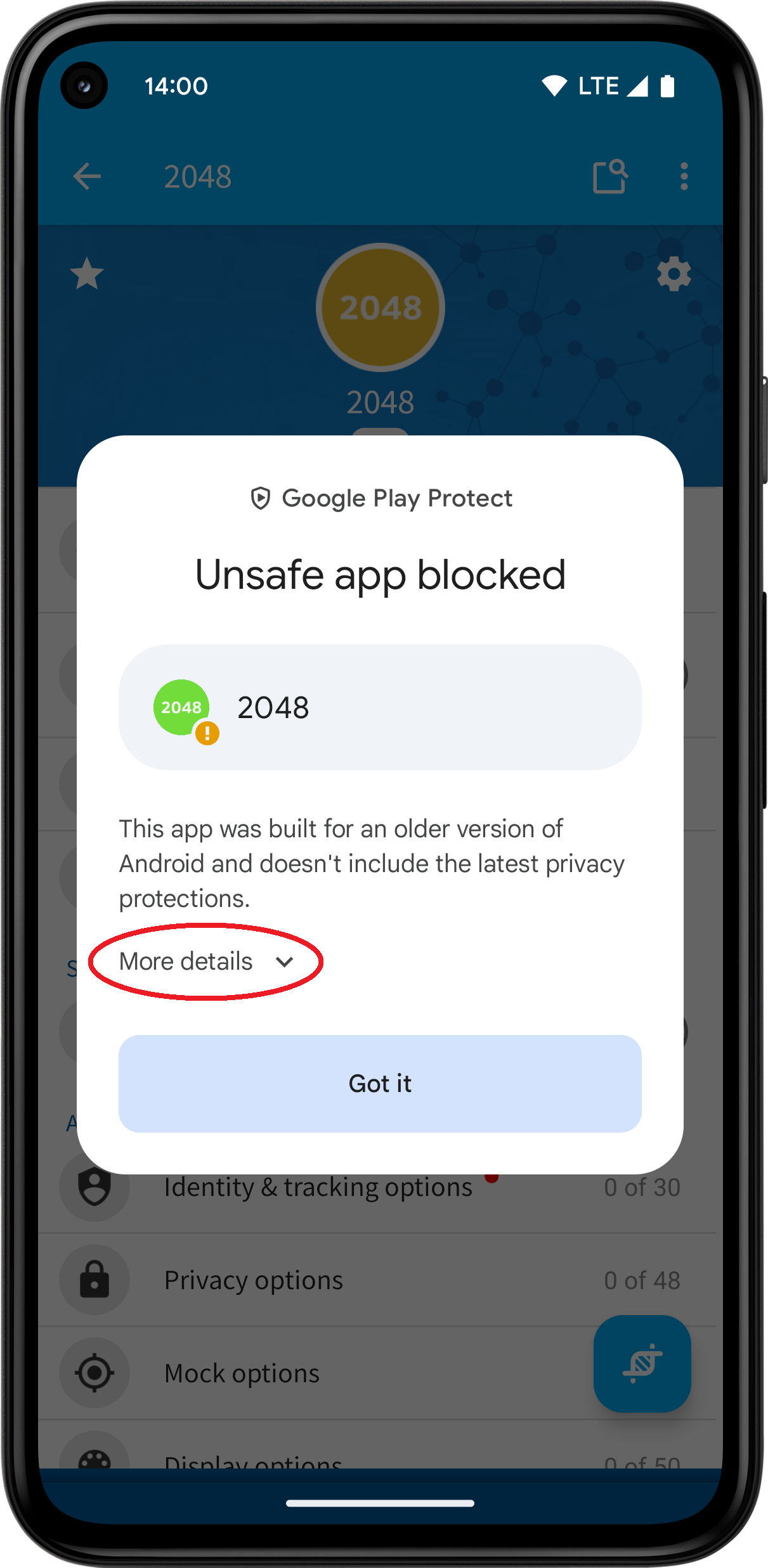
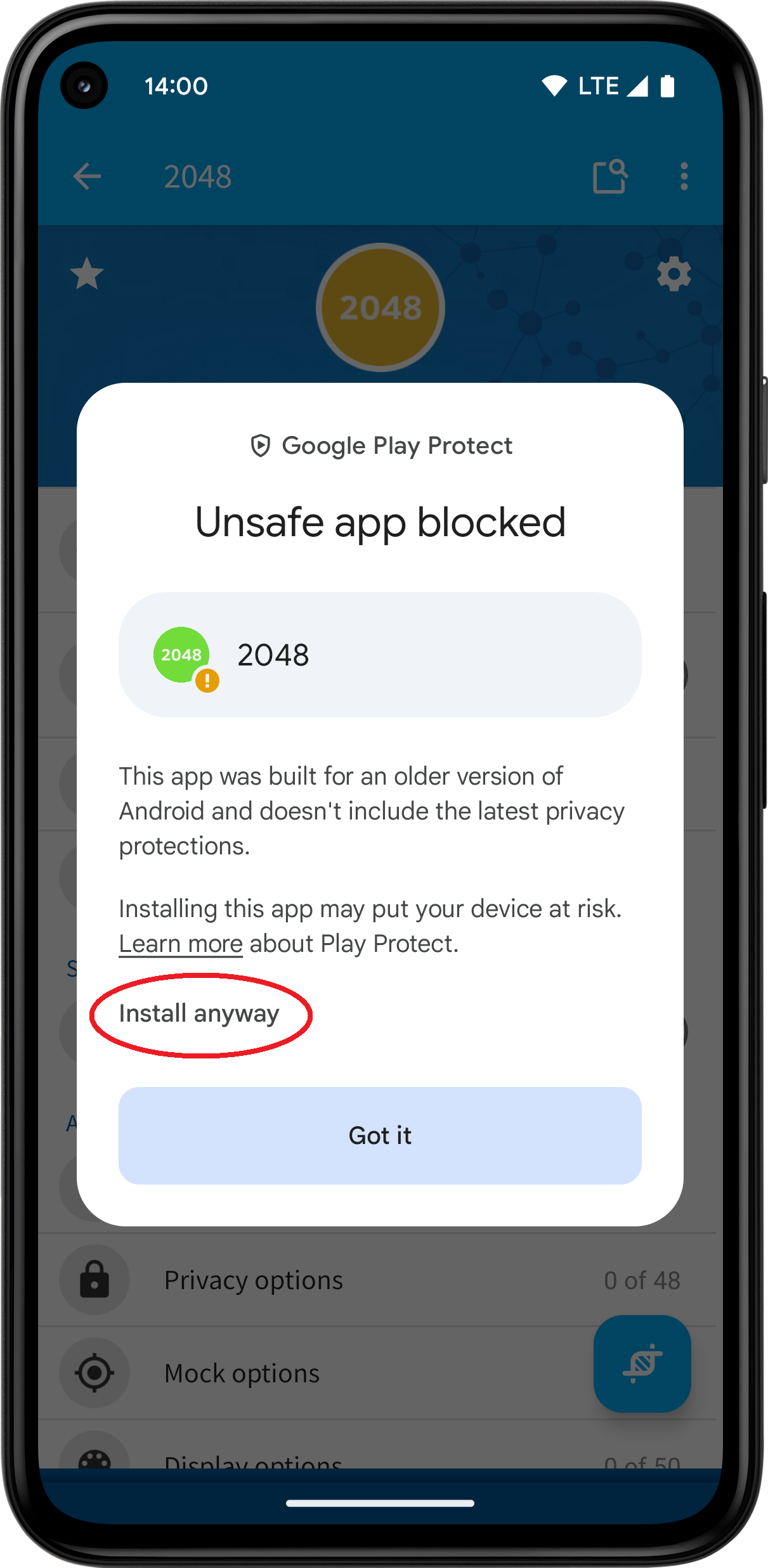
Despite being labeled as unsafe, this is a false positive alert and can be disregarded. It occurs because App Cloner and its clones are designed for older Android versions. To proceed with the installation, simply tap on More details and then select Install anyway.
You may need to confirm the app installation with your fingerprint, pattern or code.
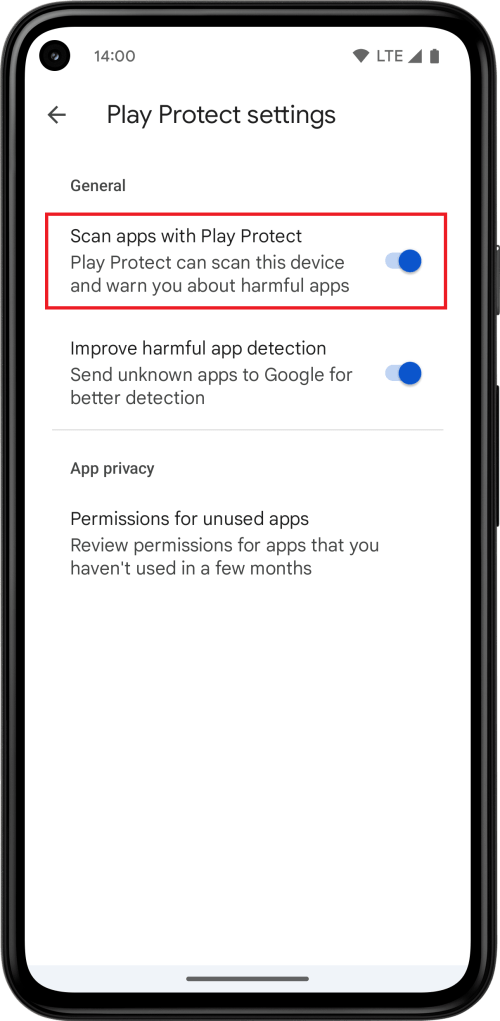
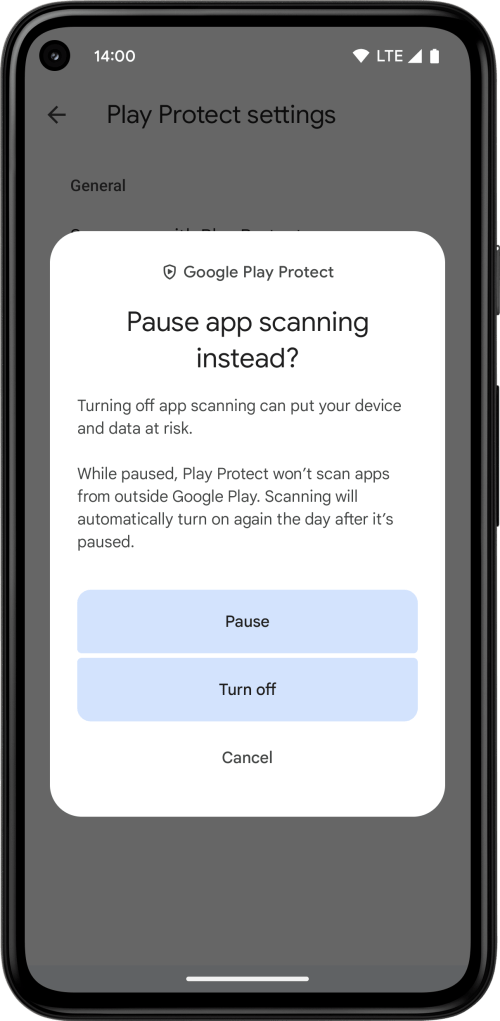
If you’re using the App Cloner Install Service to automate clone installations, it may be necessary to temporarily disable Google Play Protect.
If you are using the Install using wireless debugging installation method, make sure to disable the Verify apps over USB setting. This prevents the “unsafe app blocked” message while still letting you keep Google Play Protect enabled.
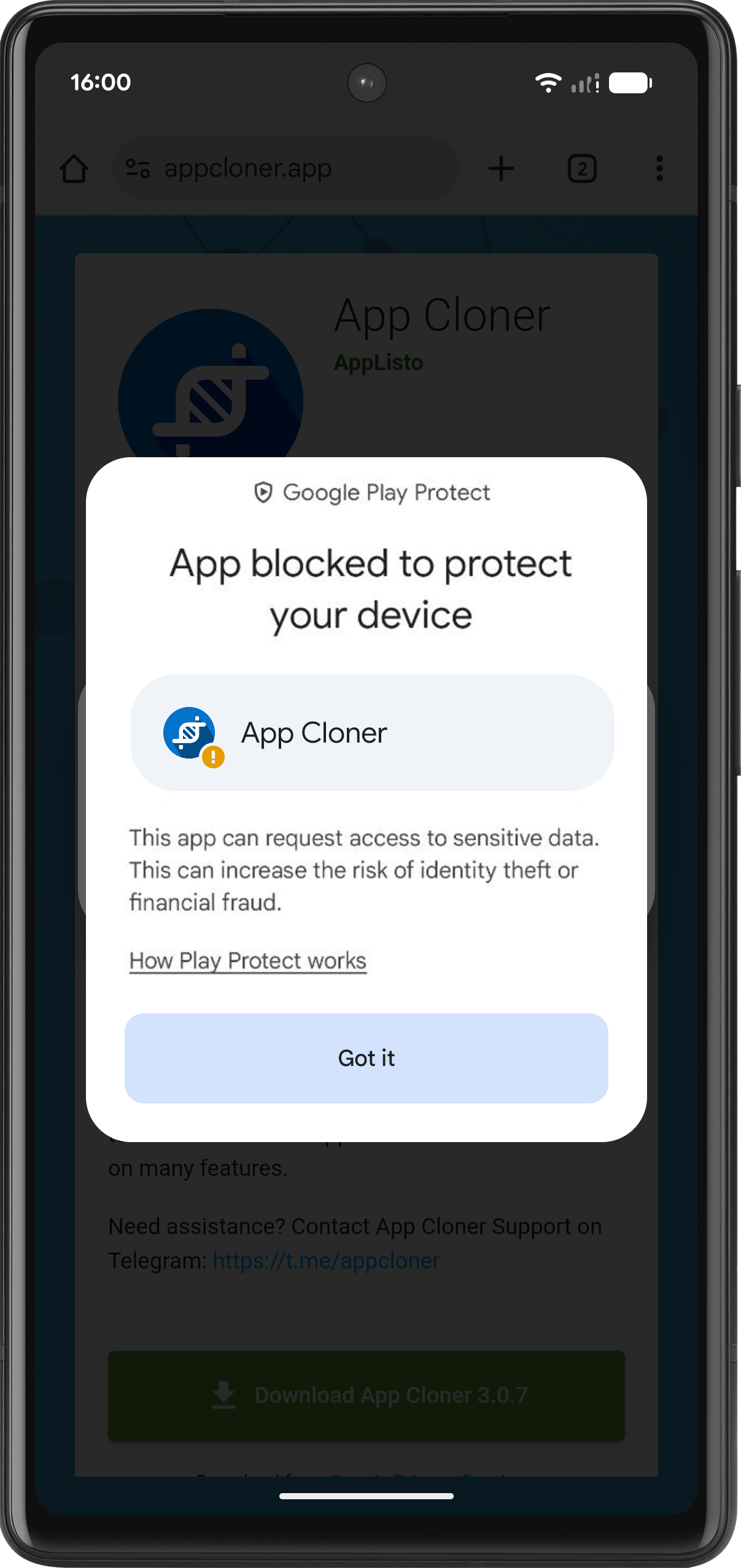
If the Install anyway button isn’t visible and you only see a link explaining how Play Protect works, please temporarily disable Google Play Protect.
Rest assured, App Cloner is completely safe and prioritizes your privacy more than 99% of the apps on Google Play. It contains no ads or tracking components, there’s no data monetization and every release is thoroughly scanned and cleared by multiple anti-virus products on VirusTotal before being uploaded.
With App Cloner, you are not the product.

 App Cloner
You must be logged in to post a comment.