
To use App Cloner, you need to log in. Your purchases can be restored by logging in, and any Play Store purchases will automatically be linked to your App Cloner account.
To start the login process, please go to Purchases and tap on Login. You can either select your Google account or enter an email address. A verification link will be sent to your email address.
Avoid using disposable email addresses or any address that includes the term “appcloner” or “applisto”.
If App Cloner is unable to send the verification link, please check your internet connection and ensure you’re using the latest version of App Cloner. Visit https://appcloner.com or https://appcloner.app to download the latest version.

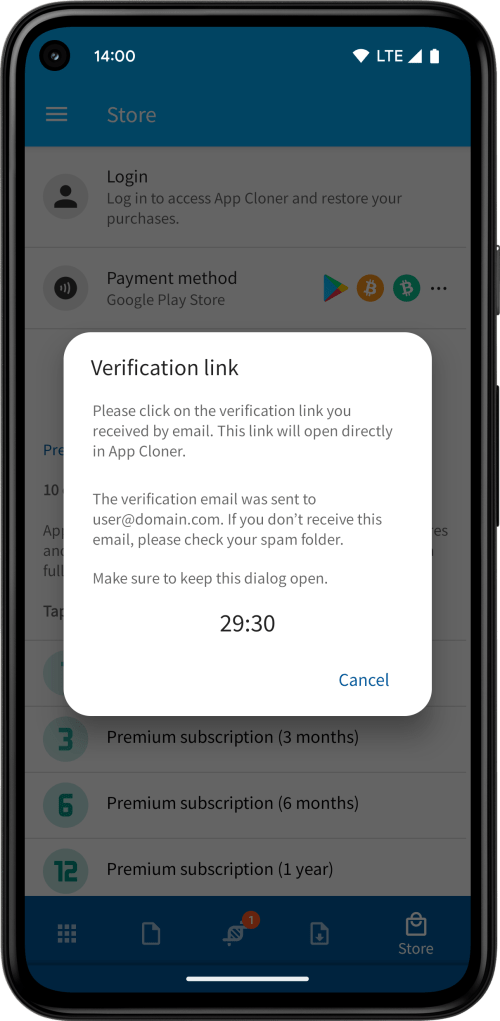
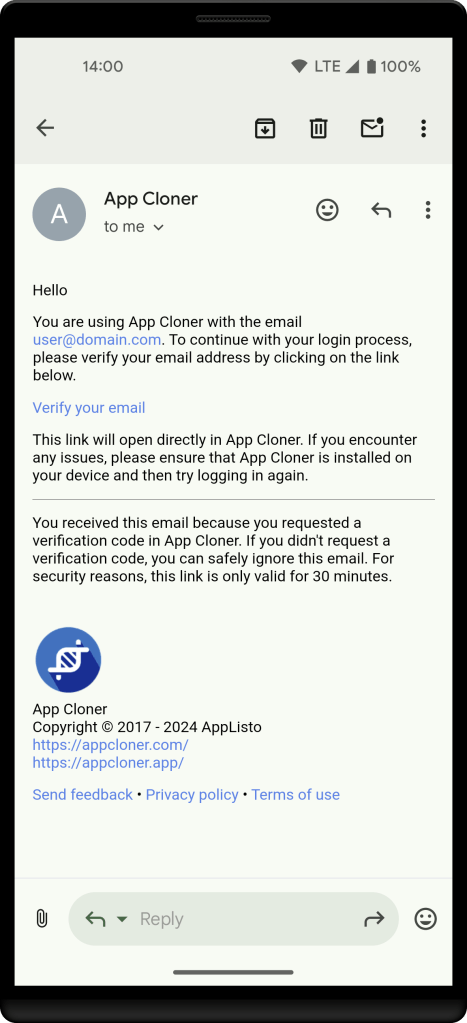
To complete the login, please click on the Verify your email link sent to you by email. Ensure that you’re selecting the most recent email (verification links expire after 30 minutes).
The link will open directly in App Cloner. Ensure you open the link on the same device where App Cloner is installed and where you initiated the login.
IMPORTANT: Keep the Verification link dialog open and avoid closing App Cloner while navigating to your email app or browser, as this will cancel the login process. Don’t swipe away App Cloner from the recent apps screen when switching to your email app as this will close App Cloner.
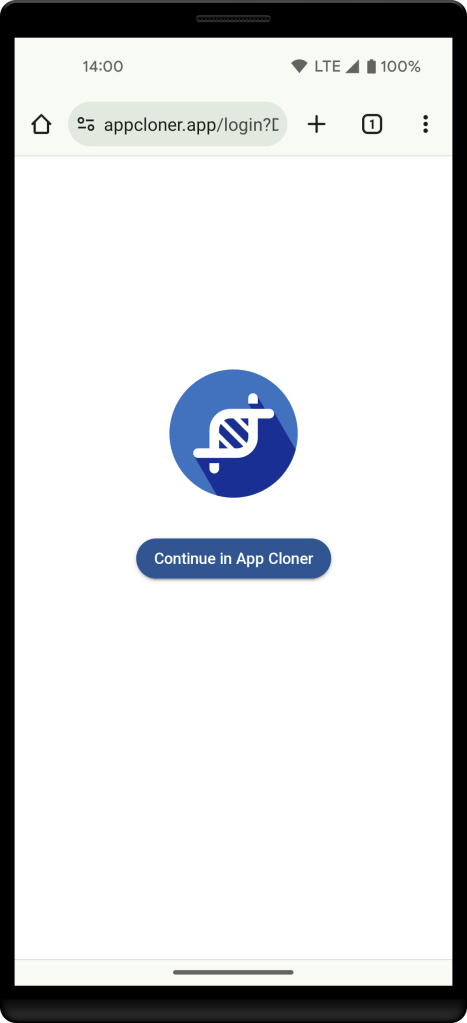
If the link opens in a web browser instead, click the Continue in App Cloner button on the webpage to launch App Cloner. Alternatively, try copying the link from the email into your browser’s address bar, then press the Continue in App Cloner button.
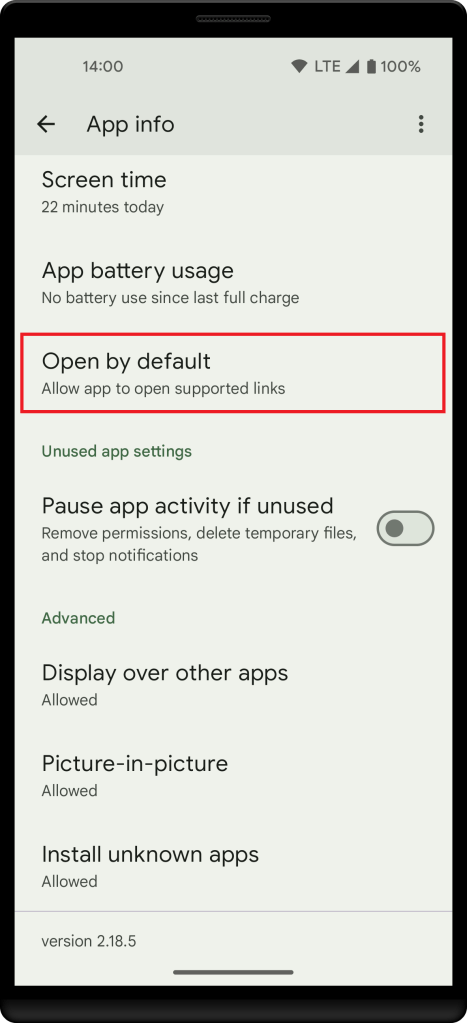
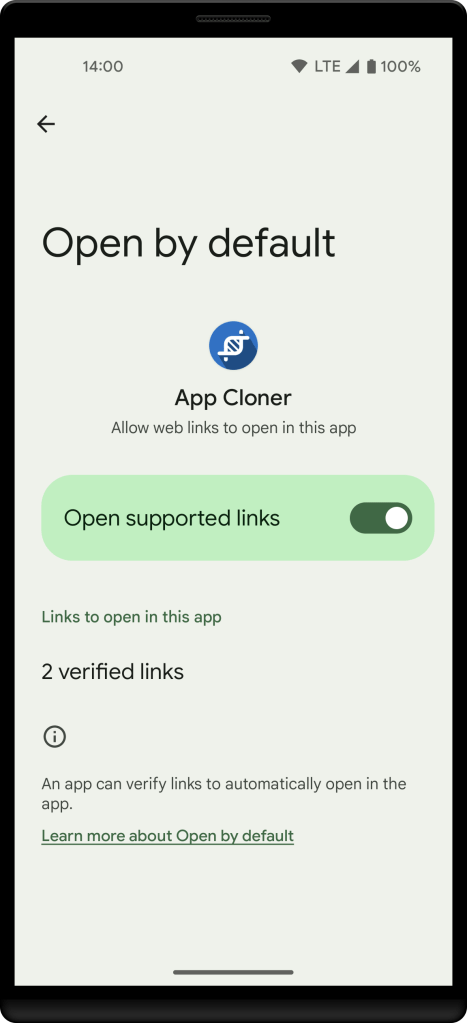
If the link still doesn’t open in App Cloner, please check that App Cloner is properly configured in the Android app settings under Open by default to automatically handle links associated with App Cloner.
Please also check that your browser supports opening links in Android apps (if in doubt, please try using the Chrome browser).
If you receive an error stating that your verification link has expired, ensure you’re opening the most recent verification email in your inbox. If you’re unsure, delete all previous verification emails and request a new link. Also, verify that your system clock and daylight saving time (DST) settings are both set correctly.
Make sure to safeguard access to your email. See also the App Cloner Terms of Use.
 App Cloner
You must be logged in to post a comment.