
The Launch clone API is available for users with the Red package. It allows for automated launching of cloned apps using the original package name and the clone number, which is particularly helpful when the package names of generated clones are not easily identifiable.
You can use the Launch clones API via the following ADB command:
adb shell am broadcast -p com.applisto.appcloner -a com.applisto.appcloner.api.action.LAUNCH_CLONE --es original_package_name <packageName> --ei clone_number <cloneNumber>
The –es original_package_name parameter specifies the package name of the original app, which you can see when opening the app info dialog of the cloned app under Apps. The –ei clone_number parameter specifies the clone number of the clone to launch.
There is an alternative method to launch clones simply using the cloned app’s name via the following ADB command:
adb shell am broadcast -p com.applisto.appcloner -a com.applisto.appcloner.api.action.LAUNCH_CLONE --es app_name '<appName>'
The –es app_name parameter specifies the name of the cloned app. Make sure to use single quotes if the app name contains spaces.
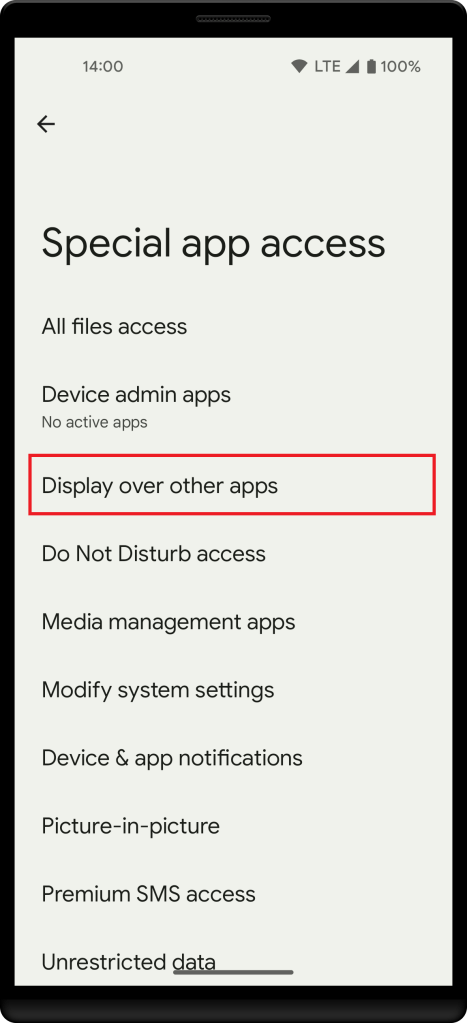
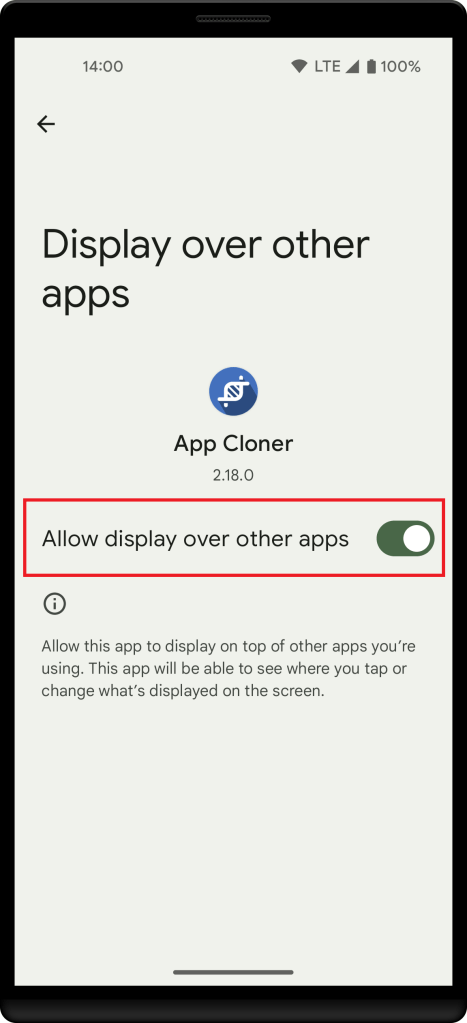
Please note that this API only allows launching cloned apps. On modern Android versions it’s required that you grant App Cloner the Display over other apps special app access permission in the Android settings under Apps. This allows App Cloner to start cloned apps when in the background.
 App Cloner
You must be logged in to post a comment.