
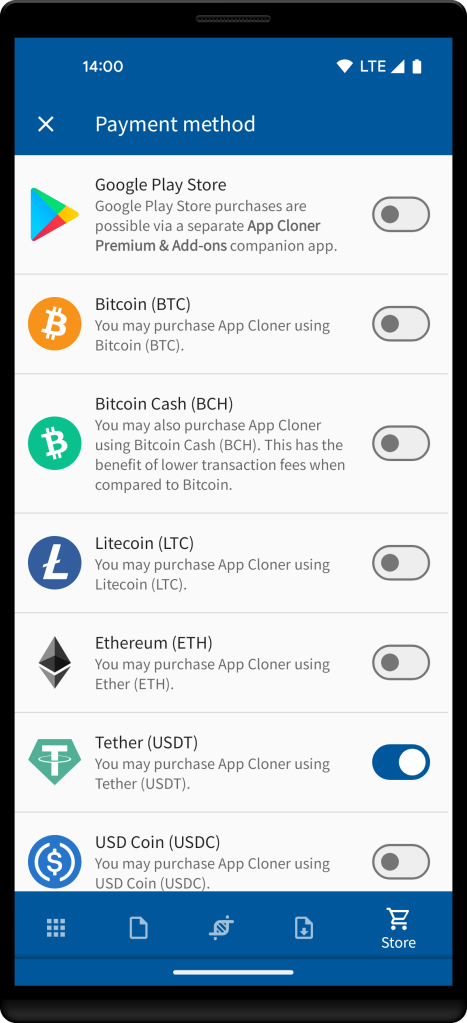
To make a crypto purchase, navigate to the Store tab, make sure you’re logged in, choose a crypto payment method and then proceed by selecting your desired item.
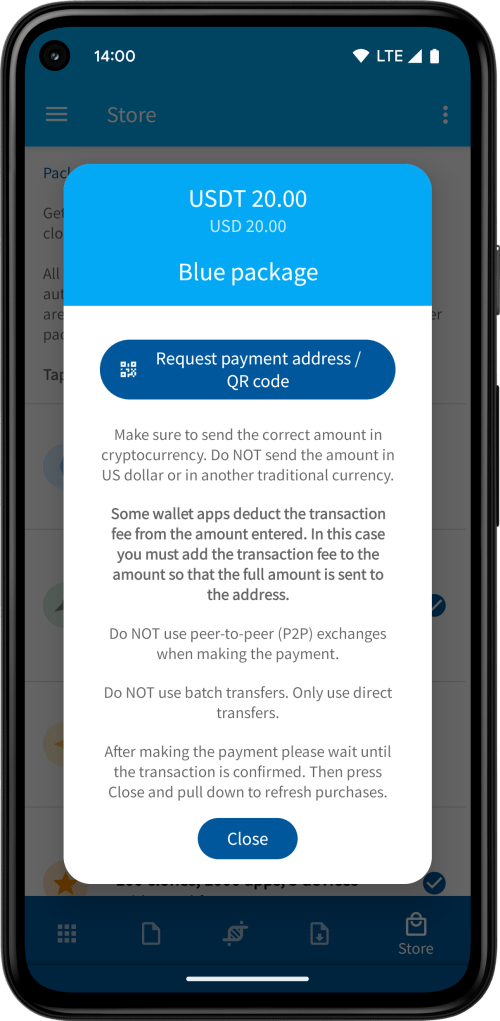
App Cloner displays the amount in both USD and the respective cryptocurrency. Please read all the instructions shown by App Cloner. When you’re ready to make the payment, simply tap the button Request payment address / QR code.
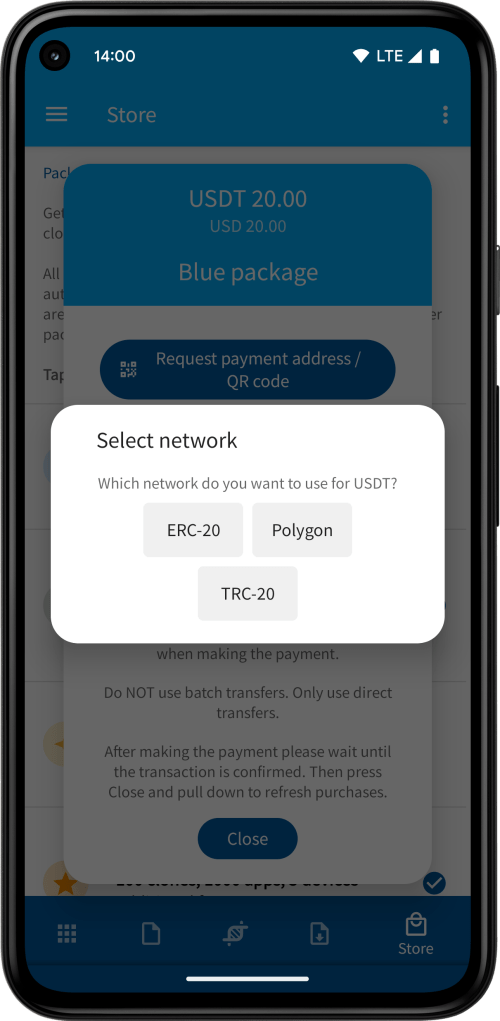
App Cloner may provide a selection of different networks available for the selected cryptocurrency. Please ensure you select the correct network, as using the wrong one may result in a permanently lost transaction. For example, do NOT send USDT via the BSC network when you’ve selected USDT TRC-20.
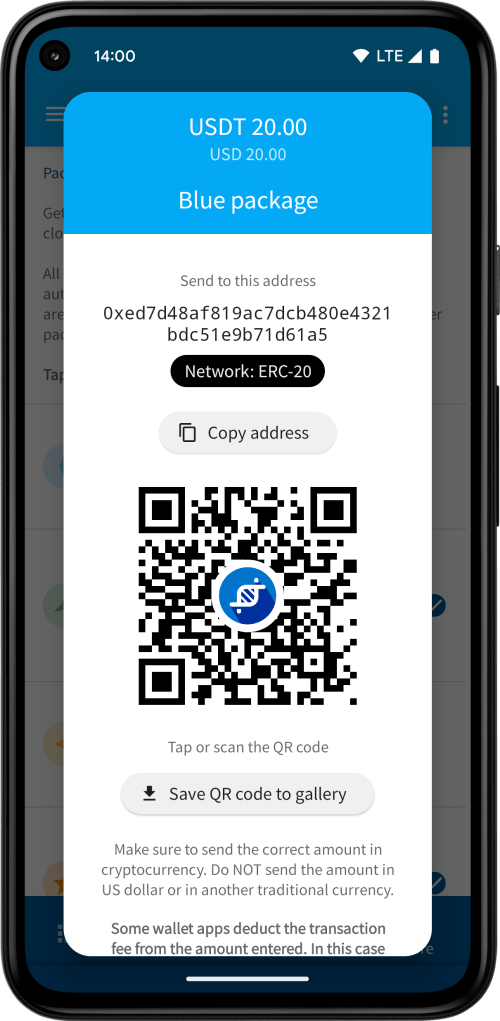
Don’t use the above sample address for sending funds. App Cloner generates a new and unique address for each purchase.
IMPORTANT: As indicated by App Cloner, please ensure you send the exact amount as quoted in the chosen cryptocurrency. Sending funds in USD, EUR or other fiat currencies may result in discrepancies compared to the cryptocurrency equivalent due to fluctuations.
Ensure that no transaction fees are deducted from the receiving side. Some apps, wallets, or exchanges provide an option to choose whether the fees should be deducted from the transaction or directly charged to your account (please select the latter option). You can verify the transaction on the public blockchain to confirm if any fees were deducted.
Do NOT use peer-to-peer (P2P) exchanges when making the payment.
Also do NOT use batch transfers. Only use direct transfers.
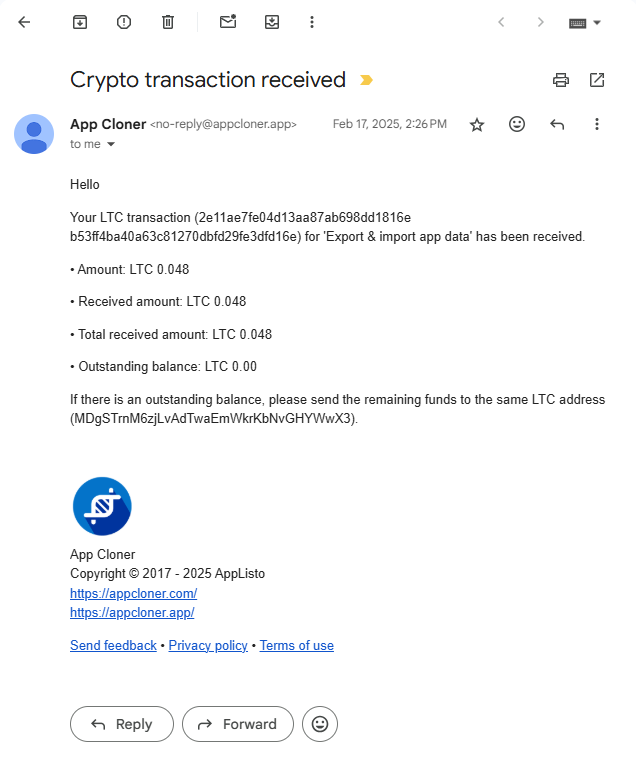
App Cloner sends email notifications for both pending and received transactions. These emails include details such as the purchased item’s amount, the amount of the pending or received transaction, the total amount received (which sums all transactions if multiple payments were made) and any outstanding balance. The purchased item will be unlocked automatically once the outstanding balance reaches zero.
You can also reopen the payment dialog in App Cloner to check the amount already received. Please note, if you revisit the payment dialog after 3 hours, the exchange rate might get updated. Consequently, the required amount to send could be changed slightly.
Transfer any outstanding balance to the same crypto address within 24 hours of the initial transaction. Sending a payment to a different address will not be recognized as part of the same purchase.
Should the remaining balance fall below the minimum amount required by your wallet app or exchange, regrettably, you’ll need to send the minimum amount. You may consider using a different app or wallet with lower minimum amounts, as it’s not necessary for the funds to originate from the same address.
Please be aware that payment processing is entirely automated, and the purchased item will be unlocked promptly upon receipt and confirmation of the required amount. Depending on the selected cryptocurrency and network, this may take a few minutes or, in the worst case, a few hours, though it may also vary based on the chosen priority, associated fees and general network load.
The crypto addresses generated by App Cloner are receiver accounts only. Once received, all funds are promptly forwarded, converted and cannot be refunded. Any overpayments, whether accidental or intentional, are non-refundable and will not be credited to your account. Please also refer to the Refund Policy outlined in the App Cloner Terms of Use for further details.
 App Cloner
You must be logged in to post a comment.